

Home › Weather Station Reviews › AcuRite
Evidence-Checked Weather Station Brand Guide
AcuRite Weather Station Reviews: Which Line Fits in 2026?
AcuRite's current home-weather range spans four distinct families. Optimus is the newest connected platform, Atlas adds UV and light data, Iris covers the core weather measurements, and compact Notos systems handle simpler temperature, humidity, and wind monitoring.
The short answer
Choose Optimus for AcuRite's newest all-in-one design, built-in lightning detection, and AcuRite NOW connectivity. Choose Atlas when UV and light readings matter or you prefer the established My AcuRite ecosystem. Choose Iris for core temperature, humidity, wind, and rain data at a lower price. Choose Notos only when a compact temperature, humidity, and wind-speed station is enough; it does not measure rain or wind direction.
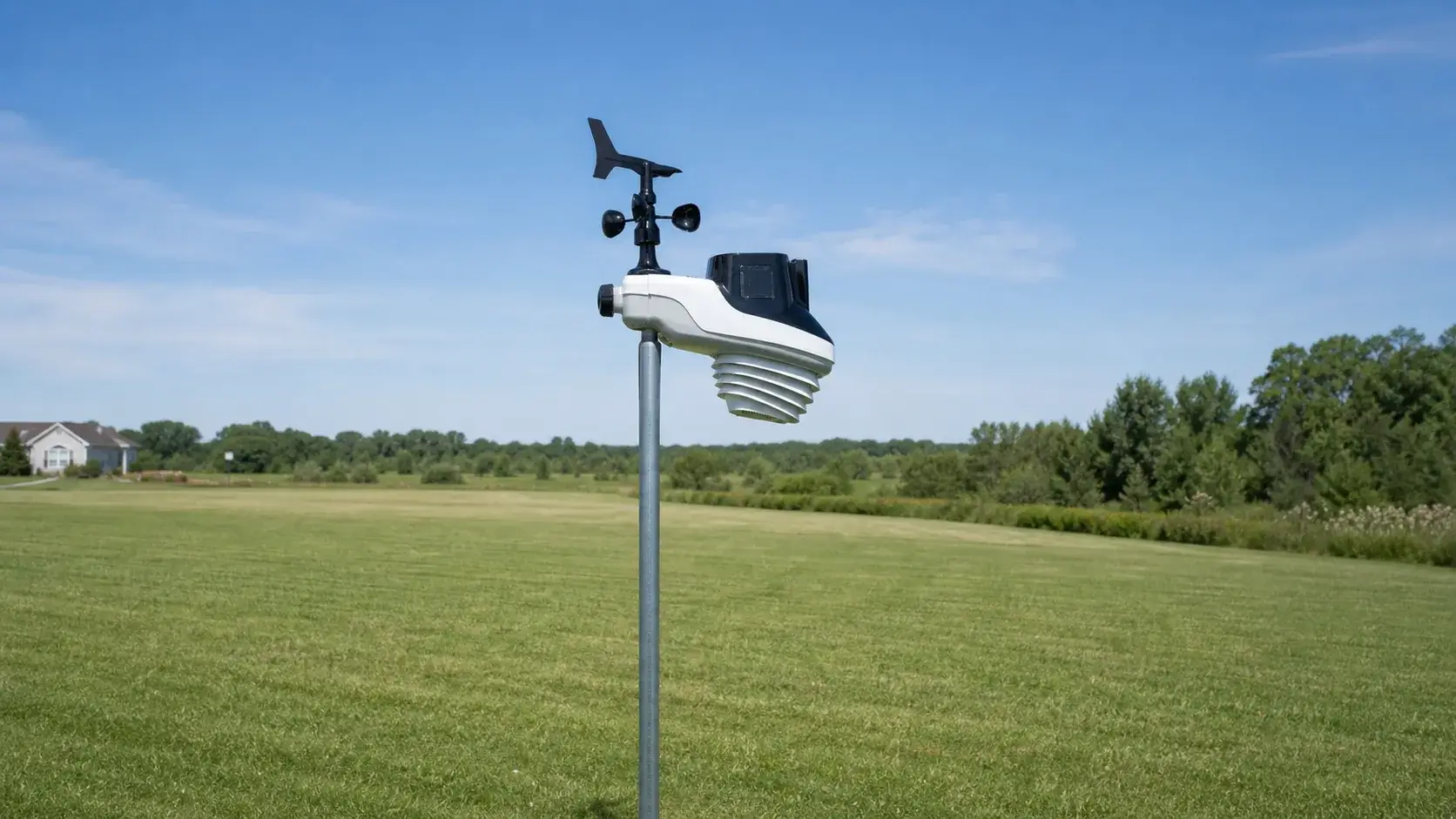
Current AcuRite weather station lineup
Affiliate disclosure: As an Amazon Associate, WX Observation may earn from qualifying purchases.
AcuRite Optimus
Best for buyers who want lightning detection included, a redesigned aspirated sensor chamber, one-degree wind-direction reporting, and the newer AcuRite NOW app.
Know before buying: Optimus does not currently connect to My AcuRite. All three bundles use the 06050M sensor. The 01216MCB pairs it with the 06188M HD display and is the exact Optimus configuration we could verify on Amazon. The 01224MCB uses the 06189M LCD Black display; the 01229MCB uses the 06190M Sportsman display. Compare all three in our AcuRite Optimus review.
AcuRite Atlas
Best for weather enthusiasts who want temperature, humidity, wind, rain, UV, and light intensity in one array. Lightning is available as an optional add-on.
Know before buying: Atlas uses My AcuRite, not AcuRite NOW. The array measures UV and light intensity, while lightning detection requires a compatible add-on. My AcuRite online viewing also requires a supported connection device, so confirm the exact display and connection hardware included in the bundle. Read our AcuRite Atlas review.
AcuRite Iris
Best for temperature, humidity, wind speed and direction, and rain without paying for UV or light sensors. AcuRite introduced an improved Iris sensor in 2026 with updated temperature and humidity specifications, wider air vents, a transmit indicator, and a revised anemometer.
Know before buying: older and newer Iris bundles coexist, and displays, connection methods, lightning accessories, and sensor revisions vary. Compare them in our AcuRite Iris review and check the complete model number rather than the Iris name alone.
AcuRite Notos
Best for small spaces and shoppers who need temperature, humidity, and wind speed only. It omits rain measurement and wind direction, so it is not a full substitute for Iris.
Know before buying: replacement displays are not sold individually, and connectivity can vary by bundle. Compare the five display families in our AcuRite Notos review.
Side-by-side decision guide
| Line | Outdoor measurements | Connected platform | Best fit |
|---|---|---|---|
| Optimus | Temperature, humidity, rain, wind, lightning | AcuRite NOW | Newest hardware and built-in lightning |
| Atlas | Temperature, humidity, rain, wind, UV, light; optional lightning | My AcuRite with compatible connection hardware | Broader environmental data and a mature accessory system |
| Iris | Temperature, humidity, rain, wind | Bundle-dependent | Core backyard weather data at a lower cost |
| Notos | Temperature, humidity, wind speed | Bundle-dependent | Compact basic monitoring without rain or wind direction |
AcuRite NOW, My AcuRite, and legacy connections
The most important 2026 buying detail is that AcuRite connection methods depend on the exact sensor and display. Optimus uses AcuRite NOW. Atlas and many connected Iris configurations have used My AcuRite with compatible connection hardware. A USB-equipped Iris display may use the legacy PC Connect program, while the discontinued SmartHub followed a different network path.
AcuRite is directing My AcuRite users toward AcuRite NOW, but a new app does not make every older display, sensor, or gateway compatible. SmartHub service and support ended in 2019. PC Connect remains legacy Windows software with documented Windows 8, 8.1, and 10 requirements, while Windows 11 operation is not assured. Owners should preserve local CSV files and verify every model number before replacing a working connection.
- For a first station: choose the outdoor hardware first, then confirm which app and display are included in that exact bundle.
- For an upgrade: verify every existing display, connection device, and add-on sensor against the current compatibility information.
- For local files: confirm the new path can export the data you need before retiring a PC Connect computer.
- For local viewing: a dedicated display avoids making your phone the only way to see current conditions.
Useful AcuRite accessories and replacement parts
AcuRite sells useful upgrades, but compatibility is tied to the station family and often to an exact display or sensor model. Start with the model number on the outdoor sensor and display, then confirm it in AcuRite's compatibility chart before ordering.
Power and battery access
The 06051M solar power pack appears on AcuRite's compatibility chart for Optimus, Atlas, and Iris. The remote battery pack differs by family. AcuRite lists 06074M for Optimus and Atlas, while the older 06052M serves compatible Iris and Pro+ 5-in-1 sensors. AcuRite currently marks 06052M unavailable, so owners should read our 06052M compatibility and installation guide before considering used stock. The 06187M uninterruptible power base works only with specified displays.
Lightning detection
Optimus includes lightning detection in its 6-in-1 sensor. Atlas uses the optional 06075M lightning detector. Iris uses the 06045M sensor and requires a compatible lightning-capable display. These parts are not interchangeable just because all three systems carry the AcuRite name.
Signal and wind options
The 06053M signal extender can help compatible Iris and Notos installations when placement and ordinary interference checks do not solve a weak link. AcuRite currently marks the extender unavailable, and it does not support Access, Atlas, or Optimus. Review the device limits and placement sequence in our AcuRite 06053M signal extender guide before pursuing used stock. Atlas owners can use the 06072M wind-extension accessory when a compatible installation benefits from separating the anemometer from the main array.
Serviceable parts
AcuRite lists replacement mounting brackets, wind cups, wind vanes, wind assemblies, and temperature-humidity boards for selected models. The shared 11180-5N1MB bracket is listed for current Optimus, Atlas, Iris, and Notos sensors, but the internal replacement parts remain model-specific.
Owner support for older AcuRite systems
Older AcuRite equipment can remain useful when a specific accessory solves a real installation problem or a legacy data path still preserves observations. The first step is always identification. Record the model numbers from the outdoor sensor, display, gateway, and accessory before buying a replacement or changing software.
06052M remote battery pack
This 30-foot wired pack moves the batteries for compatible Iris and Pro+ 5-in-1 sensors to a reachable location. It does not make the sensor universal across current AcuRite families, and it should not be treated as a reason to ignore the sensor's actual siting needs.
06053M signal extender
AcuRite documents support for selected sensors and monitors, with up to 330 feet under favorable conditions and up to three extenders in suitable layouts. Compatibility exclusions and the 06034 rain-gauge distance limit make the exact setup important.
PC Connect and SmartHub
PC Connect can still save local CSV data from selected displays on a compatible Windows computer. SmartHub is no longer a supported service path. Preserve files first, then compare current AcuRite NOW and hardware options.
How to mount an AcuRite weather station
The best mount is rigid, level, safely reachable for cleaning, and placed where nearby roofs, trees, walls, and pavement cause the least interference. AcuRite's 11180-5N1MB replacement bracket is listed for the current Optimus, Atlas, Iris, and Notos arrays, and new stations normally include their intended mounting hardware.
Post or fence mount
A secured 2-by-4 or 4-by-4 post is usually the simplest backyard option. It is stable, easy to service, and works with the included bracket without introducing a roof leak.
Tripod mount
A tripod works well in an open yard or on a suitable flat surface when it is anchored correctly. Confirm the top mast diameter before buying: many current weather-station tripods use a 1.25-inch mast.
Side or gable mount
A wall, fascia, or gable bracket can raise the array above nearby obstacles. Use weatherproof fasteners and flashing appropriate to the structure, and preserve safe access for seasonal cleaning.
Mast-to-mast mount
This can extend an existing sturdy pole. Avoid an overly long unsupported section, use corrosion-resistant hardware, and add a reducer or smaller top mast when the station bracket does not fit the mounting pole directly.
Check the mast diameter before ordering
| Sensor family | Published or practical mounting fit | What to verify |
|---|---|---|
| Atlas | AcuRite specifies a 3/4- to 1.25-inch-diameter pole; the included bracket can also attach to a secured post. | Current 1.25-inch tripods and side mounts are a natural fit when the rest of the site is suitable. |
| Iris | AcuRite's installation guide calls for 3/4-inch schedule-40 PVC or a 1-inch-outside-diameter steel pole, or the included bracket on a post. | A common 1.25-inch mast may need a reducer or a 1-inch top section. |
| Optimus | The current sensor uses AcuRite's compatible mounting-bracket family. | Use the exact Optimus manual and bracket dimensions before choosing a third-party mast. |
| Notos | Current bundles include a mounting bracket. | Confirm the exact 3-in-1 manual and the proposed pole diameter before ordering mounting hardware. |
For specific tripod, side-mount, mast-to-mast, and post examples, see our weather station mounting ideas. Then use our weather station installation guide to evaluate the site before drilling or anchoring anything.
AcuRite installation checklist
- Identify every model number. Record the outdoor sensor, display, and accessory numbers before assembly so you use the correct manual and pairing instructions.
- Bench-test first. Install fresh batteries, power the display, select matching sensor channels where required, and confirm readings before carrying the equipment outside.
- Choose the best compromise site. Favor natural ground and distance from heat sources for temperature, open sky for rain, and clear airflow for wind.
- Secure and level the mount. Anchor the post or mast, tighten the supplied bracket, and use the built-in bubble level where provided. A tilted station can distort rain readings.
- Orient the array correctly. In the Northern Hemisphere, AcuRite generally directs the solar cell toward true south; follow the exact manual for the model and hemisphere.
- Finish setup and validate. Connect the correct app or display, clear any false rain recorded during handling, compare readings for a day, and correct obvious siting or leveling problems.
Atlas guidance calls for at least 5 feet of mounting height, an open area, a level array, and no more than 330 feet between the sensor and compatible receiver under ideal conditions. Iris guidance uses the same stated minimum height and maximum transmission range. Those are starting points, not guarantees through dense walls, metal siding, or heavy tree cover.
Clean the rain bucket, wind cups, and vane in spring and fall and after debris-heavy weather. Remove batteries before cleaning when the manual directs it so handling is not recorded as false rainfall.
Accuracy still depends on placement
A feature-rich station cannot overcome poor exposure. Keep the temperature and humidity sensor over natural ground when practical, away from walls, pavement, exhaust vents, sprinklers, and reflected heat. Put the rain collector where the sky is open, and mount the wind sensor high enough to reduce turbulence from roofs and trees.
All-in-one arrays are convenient, but temperature, rain, and wind have competing siting ideals. Pick the best compromise for the measurements you value most, then keep the mast plumb, the collector clean, and the station accessible enough to maintain safely.
Related AcuRite reviews and owner guides
Use a current family review when choosing a station. Use an owner guide when an existing installation needs compatible power access, a stronger sensor link, or a safe migration from old connection hardware.
Frequently asked questions
Is Optimus a replacement for Atlas?
It is the newer platform, but it is not a simple drop-in replacement. Optimus includes lightning and uses AcuRite NOW; Atlas measures UV and light and uses My AcuRite. The better choice depends on the measurements and ecosystem you prefer.
Which AcuRite station is best for beginners?
Iris is the simplest starting point for core backyard data. Optimus is compelling when a beginner also wants connected viewing and lightning detection without adding a separate sensor. Notos is simpler still, but it leaves out rain and wind direction.
Do all AcuRite accessories work with every station?
No. Some mounting and power accessories span several families, while lightning sensors, remote battery packs, replacement displays, and internal parts may work with only specific models. Always match both the outdoor-sensor and display numbers to the official compatibility chart.
Can AcuRite stations upload to the internet?
Yes, but the path depends on the line and exact bundle. Confirm that the necessary connection hardware is included rather than assuming every display provides Wi-Fi.
Bottom line
Optimus is the forward-looking connected choice, Atlas is the best-rounded environmental monitor, Iris is the practical core-weather option, and Notos covers compact basics. Choose the exact bundle and compatible accessories together, then give installation and maintenance as much attention as the specification sheet.
Review basis and primary sources
This guide was checked against AcuRite's current product, compatibility, app, installation, and maintenance information in August 2026. Product availability, bundles, and app features can change.
- AcuRite compatibility charts
- AcuRite mobile weather apps
- AcuRite Optimus overview
- AcuRite Optimus sensor manual
- AcuRite Optimus Wi-Fi setup
- AcuRite Atlas installation
- AcuRite Iris installation
- AcuRite improved 2026 Iris bundle
- AcuRite Notos 3-in-1 product information
- AcuRite maintenance schedule
- AcuRite 06052M remote battery pack
- AcuRite 06053M compatibility and placement
- AcuRite PC Connect support
- AcuRite NOW migration information