
Home›Weather Station Reviews›Ambient Weather
Ambient Weather Station Reviews: Current Lineup and Brand Guide
Ambient Weather combines backyard sensor hardware, color consoles, Wi-Fi, and the Ambient Weather Network in one broad home-monitoring ecosystem. This hub explains the five current core stations, how their data moves, what mounting and accessories require, practical upgrade paths, and where to read each full review.
Use this page to understand Ambient Weather as a brand and narrow the current lineup by platform, outdoor-sensor layout, installation needs, and room to expand. Then use the linked standalone review for a model-specific evaluation or the linked comparison for an exact two-model decision. Keeping those jobs separate gives readers a clearer path without repeating the same model-specific information.
Ambient Weather at a glance
Several outdoor architectures
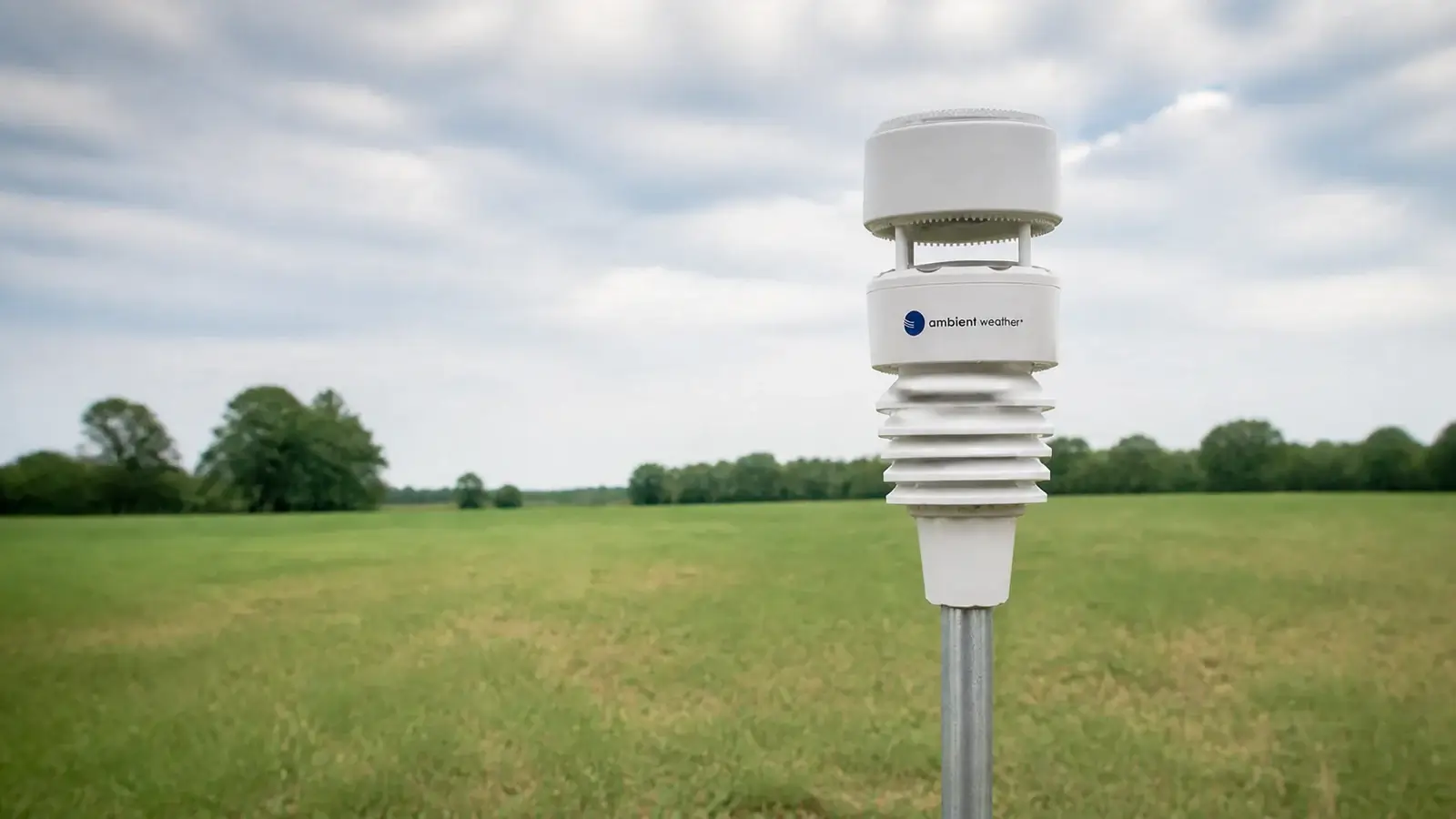
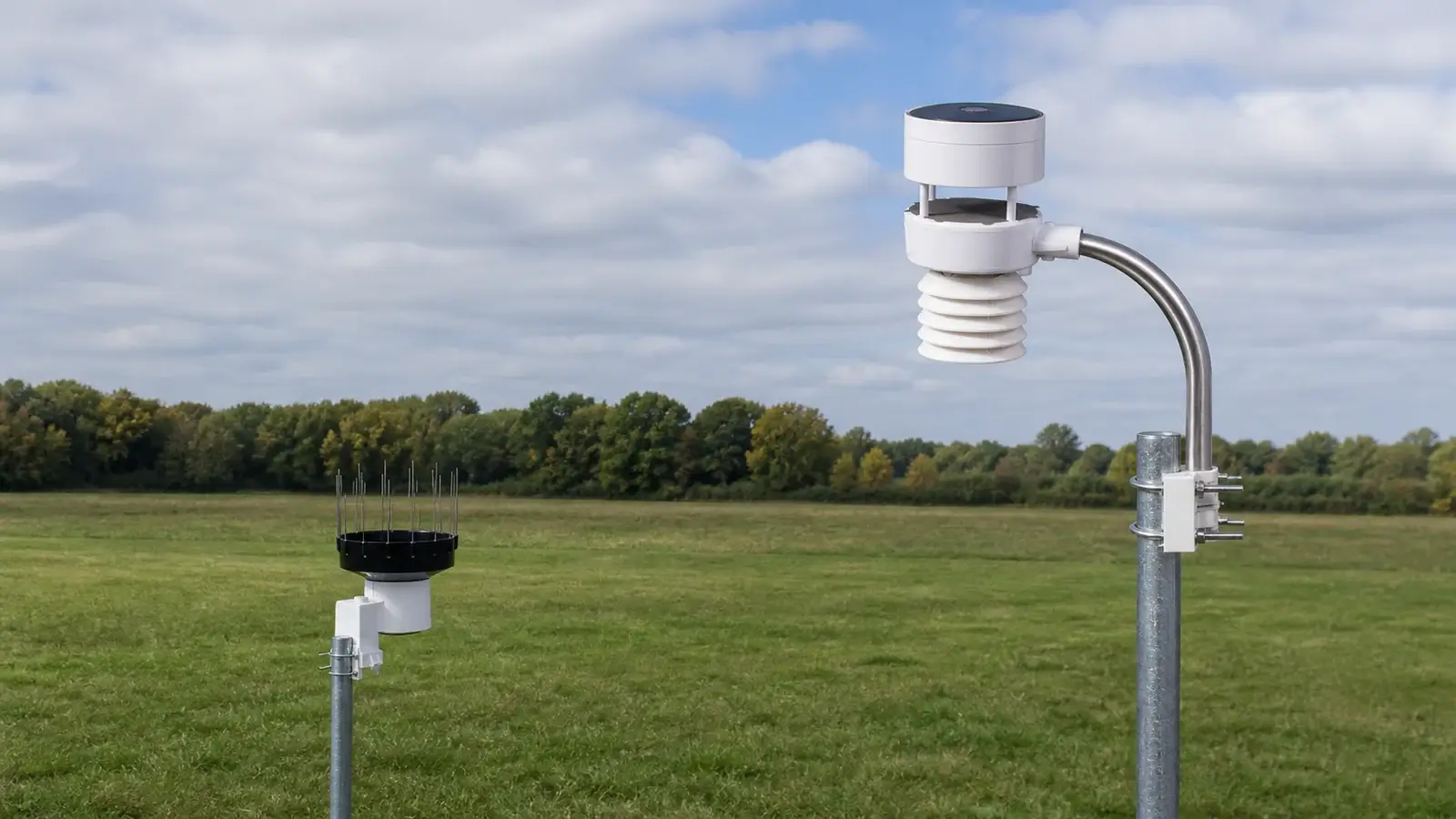
The current range covers conventional cup-and-vane arrays, compact ultrasonic wind with haptic rain, and a modular ultrasonic system with a separate tipping-bucket gauge.
Console-first monitoring
Every core bundle includes a color display. The WS-2000, WS-4000, and WS-5000 use the advanced TFT-console family; the WS-1965 and WS-2902 use simpler displays.
Ambient Weather Network
Current stations can send data through 2.4 GHz Wi-Fi to AWN for browser and app dashboards, charts, alerts, and sharing. Optional services and integrations can vary by model and firmware.
Ambient’s strength is range. A buyer can start with a complete entry-level station and later move into a console family that accepts many environmental-sensor categories. The tradeoff is that Ambient Weather compatibility is exact-model specific: similar-looking arrays, consoles, mounts, and add-ons are not automatically interchangeable.
The current Ambient Weather station lineup
Ambient Weather’s current comparison material lists five core personal weather stations: WS-1965, WS-2902, WS-2000, WS-4000, and WS-5000. The descriptions below are broad lineup positions, not substitutes for a full review or pairwise verdict.
WS-1965
A current entry-level Wi-Fi station with a basic color console and an integrated conventional outdoor array for temperature, humidity, pressure, wind, and rainfall. It connects to AWN and supports optional sensors, but buyers should use the current compatibility chart rather than assume it accepts the same add-ons as the advanced console family.
WS-2902
The WS-2902 combines Ambient’s familiar Osprey-style all-in-one outdoor array, a compact color display, 2.4 GHz Wi-Fi, and AWN access. Its expansion options are more limited than the advanced TFT family, so it suits readers who want the core weather set without building a large sensor network.
WS-2000
The WS-2000 keeps an integrated cup-and-vane Osprey array with tipping-bucket rain, then adds the advanced TFT console, a separate WH32B indoor sensor, deeper local display tools, and access to the broader premium sensor ecosystem.
WS-4000
The WS-4000 puts ultrasonic wind, haptic rain, temperature, humidity, UV, and solar measurements into one compact outdoor unit with no cups, vane, or tipping bucket. It uses the advanced TFT console and requires the WS-4000-specific mounting system.
WS-5000
The WS-5000 separates the WS80 ultrasonic wind/temperature/humidity/UV/solar array from a WH40 tipping-bucket rain gauge. It uses the advanced TFT console and lets the owner site wind and rainfall hardware independently. That modularity affects mounting, service access, and total installation planning more than any single specification.
| Model | Outdoor design | Display family | Ecosystem position | Read more |
|---|---|---|---|---|
| WS-1965 | Integrated conventional array | Basic color console | Current entry platform; verify add-ons individually | WS-1965 review |
| WS-2902 | Integrated cups, vane, and tipping bucket | Compact color console | Core weather plus a smaller optional-sensor set | WS-2902 review |
| WS-2000 | Integrated cups, vane, and tipping bucket | Advanced TFT console | Broad premium-console sensor support | WS-2000 review |
| WS-4000 | Integrated ultrasonic wind and haptic rain | Advanced TFT console | Broad support; model-specific outdoor array and mount | WS-4000 review |
| WS-5000 | Ultrasonic array plus separate tipping-bucket rain | Advanced TFT console | Broad support and modular outdoor placement | WS-5000 review |
How Ambient Weather stations communicate
There are three different links in a connected Ambient Weather system. Keeping them separate makes setup and troubleshooting much easier.
Dedicated 915 MHz radio
The outdoor array and compatible add-on sensors transmit to the console over Ambient’s sub-GHz sensor radio. This is not your home Wi-Fi. Walls, metal, elevation, interference, batteries, and antenna orientation affect real-world range.
2.4 GHz Wi-Fi
The console joins a compatible 2.4 GHz home network to reach online services. A dual-band router can work, but station setup may require the 2.4 GHz network name and settings to be clearly available.
AWN, apps, and services
Once registered, the station can publish to Ambient Weather Network for remote dashboards, charts, alerts, and sharing. Weather Underground or custom upload options depend on the exact console, firmware, and current service support.
- Pair and test every sensor near the console before permanent mounting.
- Confirm the console sees the outdoor array before troubleshooting Wi-Fi.
- Use the station’s current setup instructions; the legacy awnet workflow and newer on-console workflows are not identical.
- Check current firmware and service support before buying specifically for a third-party integration.
Mounting and siting by model
Mounting hardware is normally a separate purchase. More importantly, the outdoor architecture decides whether one location must serve every measurement or whether wind and rain can be optimized independently.
| Model | Outdoor layout | Mounting consequence | Service priority |
|---|---|---|---|
| WS-1965 | One integrated array | Use a rigid, plumb mast that fits the supplied bracket; confirm current diameter requirements before buying hardware. | Leave safe access for batteries, rain cleaning, leveling, and inspection. |
| WS-2902 | One integrated Osprey array | Wind, temperature, humidity, and rain share one compromise site. | Keep the tipping-bucket funnel, cups, vane, and solar panel reachable. |
| WS-2000 | One integrated Osprey array | Similar siting compromise to WS-2902; use the exact bracket and supported mast range. | Plan for rain-funnel cleaning, battery changes, level checks, and wind-mechanism inspection. |
| WS-4000 | One compact ultrasonic/haptic array | Requires a rigid one-inch vertical support or the dedicated WS-4000 pole/tripod system. It does not reuse WS-2000 or WS-5000 mounting hardware. | Prevent vibration, keep the body clean, and validate rainfall after installation or calibration changes. |
| WS-5000 | WS80 array plus separate WH40 rain gauge | Wind can go high and open while the rain gauge stays level, lower, and easier to reach. Budget for two placements and their supports. | Keep the rain funnel accessible and the ultrasonic array open, clean, and safely reachable. |
Measure the site, not the obstruction
Wind needs clear exposure; temperature and humidity should avoid roofs, pavement, exhaust, and reflected heat; rainfall needs a level, unobstructed collector. An all-in-one array necessarily compromises among those ideals.
Choose the mount after the model
Tripods, pole kits, mast extensions, side mounts, and ground stakes solve different sites. Verify pole diameter, bracket style, fasteners, corrosion resistance, guying, and service access before ordering.
Accessories and expansion
Ambient Weather sells a much broader environmental-sensor ecosystem than the instruments in a standard station box. The advanced console family is the most flexible, but the number of supported sensor types and channels differs by console and firmware.
Rooms, probes, pools, and cold storage
Compatible options can cover extra indoor/outdoor temperature and humidity, waterproof probes, floating pool sensors, or refrigerator/freezer monitoring. Similar product names do not guarantee compatibility.
Soil, leak, and lightning
Some consoles support soil-moisture sensors, water-leak alarms, and lightning detection. Confirm channel limits before planning multiple zones.
Particulates, indoor air, cameras, and hubs
Depending on the platform, owners can add particulate or indoor-air monitors and connect supported cameras or sensor hubs to AWN. These devices have their own placement, power, and network requirements.
Practical upgrade paths
Ambient Weather upgrades are often about changing the console platform or outdoor layout, not simply buying the next model number. These are broad paths; the linked reviews and official compatibility pages own the component-level detail.
Move into the advanced TFT family
An owner who outgrows an entry console may value the WS-2000, WS-4000, or WS-5000 family for deeper local display tools and a broader range of compatible sensor categories. Existing sensors should be checked one by one before assuming they migrate.
Integrated, compact, or modular
Upgrading can mean retaining an all-in-one conventional array, moving to compact ultrasonic/haptic hardware, or separating wind and rain. The physical site, service access, and mount budget should drive that decision.
WS-4000 conversion requires its own mount
Ambient currently sells a WS-4000 array-only option for compatible WS-2000 or WS-5000 consoles. It requires the WS-4000 mount and does not reuse the WS-2000 or WS-5000 mount. Confirm console firmware and the current product instructions before buying.
Repair, replacement array, or platform change
The discontinued WS-1002-WIFI, WS-1201-IP, and WS-1401-IP need model-specific replacement and calibration guidance. Use the consolidated Observer Series owner and upgrade guide before replacing an array or gateway.
Popular Ambient Weather comparisons
These pages own the detailed two-model tables and verdicts. The brand hub intentionally limits each pair to one routing sentence.
Read the individual Ambient Weather reviews
Each review covers one model’s complete bundle, console, installation, ownership, limitations, and buying fit without trying to rank the full brand lineup.
Ambient Weather WS-2000 review
Ambient Weather WS-4000 review
Ambient Weather WS-5000 review
Support, manuals, contact, and warranty
Ambient’s support site provides manuals, firmware, setup articles, calibration help, FAQs, and return authorization. As checked in August 2026, the public contact page lists support@ambientweather.com, sales and service at (480) 346-3380, and hours of Monday through Friday, 8 a.m. to 3 p.m. Arizona time. Contact details and policies can change, so verify them on the official page before relying on them.
The current published warranty lists one year for Ambient Weather stations, accessory sensors, mounts, and replacement parts, subject to the full terms and proof-of-purchase requirements.
Ambient Weather brand FAQ
Will an Ambient Weather station work without internet?
The local console can receive compatible sensors and display current conditions without an internet connection. Remote AWN dashboards, app access, cloud charts, and third-party uploads require the console to reconnect to the internet.
Do all Ambient Weather stations use the same optional sensors?
No. Compatibility depends on the console or receiver, accessory model number, regional radio frequency, firmware, and channel limits. Always verify the current chart for the exact pairing.
Do all current Ambient Weather stations use Wi-Fi for outdoor sensors?
No. The outdoor sensors normally use a dedicated 915 MHz radio link to the console. The console then uses 2.4 GHz Wi-Fi to reach the router and online services.
Are Ambient Weather mounts interchangeable?
Not universally. Conventional arrays commonly use mast brackets, but supported diameters still vary. The WS-4000 has a dedicated one-inch mounting system and does not reuse the WS-2000 or WS-5000 mount.
Can current Ambient Weather stations upload to Weather Underground?
Several models support Weather Underground or other upload methods, but service support and setup vary by console and firmware. Check the current model support center when a third-party destination is a purchase requirement.
What should an owner of a WS-1002-WIFI, WS-1201-IP, or WS-1401-IP do?
Treat it as a legacy-owner question rather than a current buying decision. Replacement arrays, ObserverIP behavior, calibration, and sensible upgrade paths differ by model; use the dedicated Observer Series owner guide.
Bottom line
Ambient Weather’s current lineup is best understood as a set of platforms rather than a simple good-better-best ladder. The WS-1965 and WS-2902 cover entry and mainstream connected monitoring; the WS-2000 introduces the advanced TFT ecosystem with a conventional integrated array; the WS-4000 changes the outdoor hardware to compact ultrasonic wind and haptic rain; and the WS-5000 makes outdoor placement modular. Start with the site and expansion plan, then use the individual review or exact comparison that owns your final decision.
Review basis and primary sources
This guide was checked against current manufacturer product, manual, compatibility, network, support, contact, and warranty information in August 2026. Products, bundles, firmware, services, policies, and compatibility can change.
- Ambient Weather current station and compatible-sensor chart
- Ambient Weather WS-1965 product page
- Ambient Weather WS-2902 product page
- Ambient Weather WS-2000 product page
- Ambient Weather WS-4000 product page
- Ambient Weather WS-5000 product page
- Ambient Weather Network support
- Ambient Weather manuals, firmware, and support
- Ambient Weather contact information
- Ambient Weather current warranty terms