
Ambient Weather WS-2000 vs WS-4000: Which Should You Buy?
A practical choice between conventional rain collection and compact haptic hardware, including the upgrade route for existing WS-2000 owners.
Affiliate disclosure: WXObservation may earn a commission from qualifying Amazon purchases, at no additional cost to you. Availability, seller, bundle contents, and prices can change. Confirm the exact model and included components before ordering.
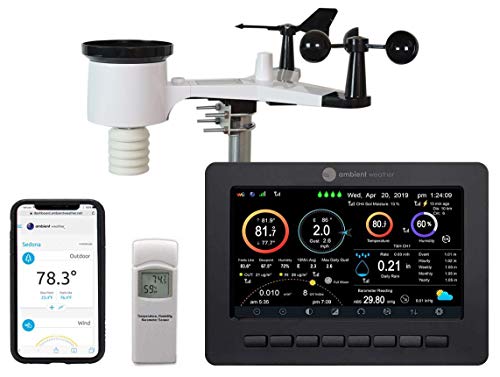
Ambient Weather WS-2000
Choose the WS-2000 for conventional tipping-bucket rainfall, a readable TFT console, and room to expand. Plan for access to clean the collector and inspect the moving wind components.
Confirm the complete kit includes the outdoor array, TFT console, WH32B indoor sensor, power adapter, and expected mounting hardware. Check pole and battery requirements separately.

Ambient Weather WS-4000
Choose the WS-4000 when ultrasonic wind and a compact haptic-rain array solve a real ownership problem. Provide a rigid mount and compare rainfall with a trustworthy local reference.
Confirm the standard WS-4000 kit includes the outdoor array, TFT console, WH32B indoor sensor, and power adapter. Budget for its compatible pole or tripod mount.
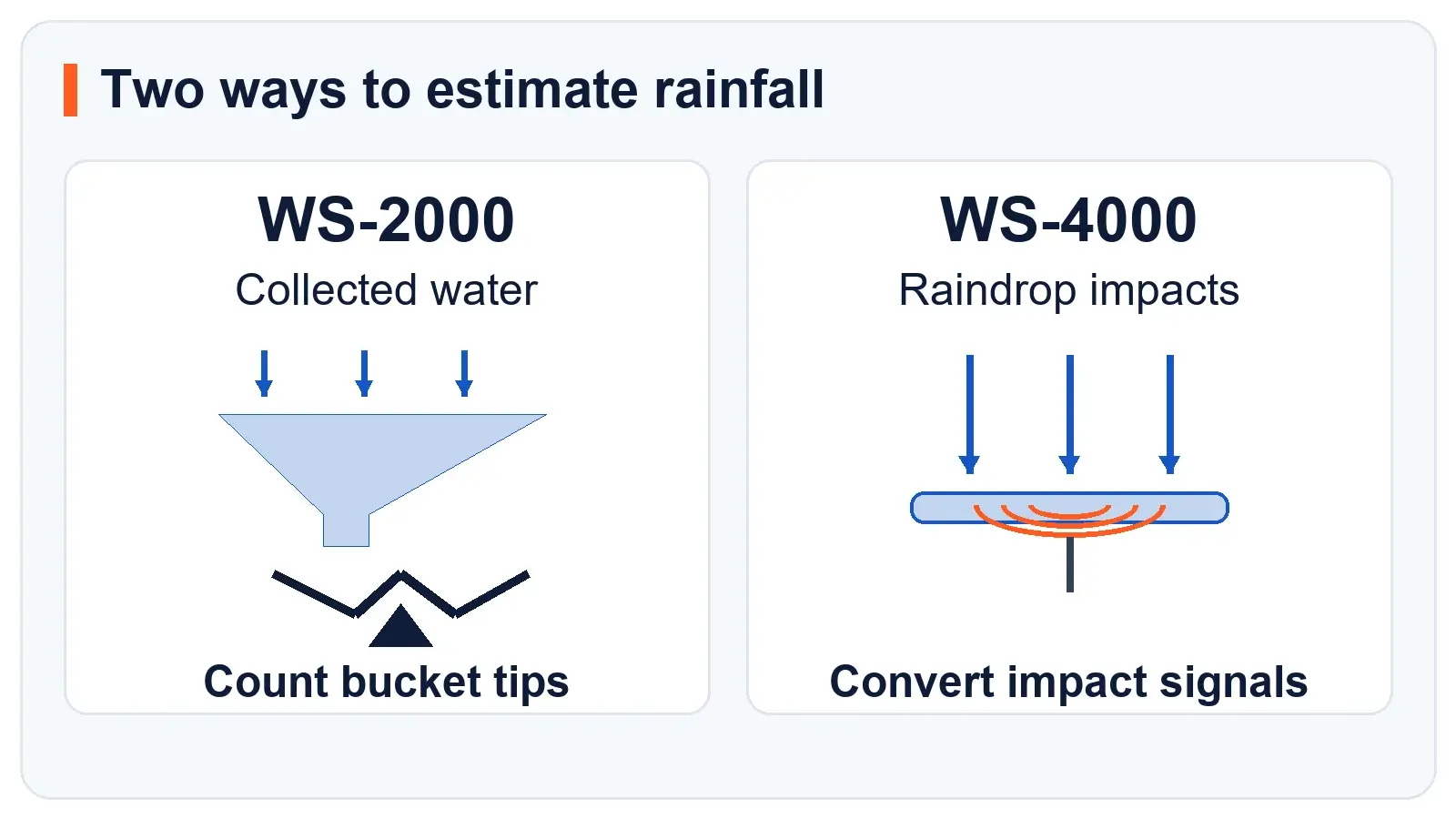
The differences that matter
| Decision point | WS-2000 | WS-4000 |
|---|---|---|
| Wind measurement | Rotating cups and a direction vane | Ultrasonic wind sensing |
| Rain measurement | Funnel and tipping mechanism | Haptic impact sensing |
| Outdoor arrangement | Core sensors share one array | Core sensors share one compact array |
| Regular attention | Funnel, debris, level and moving components | Impact surface, solar panel, mount and rainfall validation |
| Indoor experience | Advanced TFT console with separate indoor sensing | Same console family with separate indoor sensing |
| Extra sensors | Broad compatible-sensor selection | Broad compatible-sensor selection |
| Most useful reason to choose it | Conventional rain collection and familiar inspection | Compact hardware without rotating or tipping parts |
| Existing-owner route | Keep a working system if it meets your needs | Check an array-only upgrade and compatible mount |
Ambient's current compatibility chart lists the advanced console, WH32B indoor temperature-humidity-pressure sensor and broad sensor support for both systems. Use that chart for the specific accessory you plan to add. Support for a sensor family does not mean every combination fits every channel limit.
The important buying question is therefore not whether the WS-4000 unlocks a completely different display experience. It is whether its outdoor design solves a problem you actually have.
Rain is the biggest ownership tradeoff
The WS-2000 collects water through a funnel and counts movements of a tipping mechanism. You can inspect that path directly when a total looks wrong. Leaves, insects, dirt or a tilted array give you concrete things to check.
Ambient's WS-2000 array-maintenance guidance specifically calls for checking the level, clearing the funnel and inspecting the mechanism for obstructions. That makes access part of the purchase decision. An inexpensive array mounted where cleaning is difficult can become an inconvenient instrument.
The WS-4000 product documentation describes a piezoelectric rain sensor that responds to impacts and calculates rainfall. It eliminates the collection bucket and mechanical tipping action. It does not eliminate the need to verify the resulting measurement.
Ambient's haptic-rain comparison FAQ identifies environmental sensitivity, including vibration, as a consideration. That supports a practical recommendation: choose a rigid installation and inspect it before interpreting an unexpected total as a calibration error.
For either design, compare matching observation periods. A total since midnight cannot be fairly checked against a gauge you emptied at breakfast. A reading from a distant neighborhood also may not represent the rain that fell at your house.
If rain totals guide your garden watering or personal records, a separate, well-sited reference gauge can be useful with either station. With haptic rain, the reference is especially helpful when checking behavior across different rain intensities.
Does haptic rain mean better accuracy?
The sensing method alone does not establish which station will be closer to the true rainfall at your site. A clean, level collector and a properly installed impact sensor have different sources of error. Manufacturer specifications are also not a side-by-side field test.
Choose the design whose limitations you can manage. The WS-2000 is attractive if you want to inspect a physical collection path. The WS-4000 is attractive if removing that collection mechanism solves a recurring maintenance problem and you will validate the replacement readings.
Wind hardware changes, but exposure still matters
The WS-2000 uses mechanical wind components. The WS-4000 uses ultrasonic sensing without rotating cups or a moving direction vane. Removing those moving parts changes maintenance and wear considerations.
It does not create open exposure where none exists. A location screened by a house or dense trees remains a compromised place to measure wind. Neither package gives the core wind and rain sensors completely independent locations.
Walk through the proposed site before choosing between them. Our installation and siting guide explains how to assess obstructions, reflected heat, access for service and the route to the indoor console. If the only possible position is a sheltered balcony, the mounting limitation may matter more than either sensor design.
For readers who specifically need wind and rain in separate places, the existing WS-5000 vs WS-4000 comparison addresses that different layout decision. It is a more relevant next step than assuming the WS-4000 separates the sensors.
The console is a shared strength
The WS-2000 product page describes its TFT display, local measurements and Ambient Weather Network connection. The WS-4000 page explicitly identifies the same console family.
That is good news if your main goal is a readable indoor display with room to expand. It also means an owner who already likes the WS-2000 console should be clear about what a replacement purchase would improve.
Both systems use a separate indoor temperature-humidity-pressure sensor. Keep that indoor measurement role distinct from the outdoor array. Moving to ultrasonic wind does not itself change how you should interpret an indoor pressure reading.
Check the exact bundle before ordering. A complete station, an array-only listing and a console-only listing are different products. Check accessory compatibility separately, including how many channels you need and where those readings appear.
For remote viewing, the connection path also matters. A working outdoor-to-console radio connection does not prove that data are reaching the internet. The console and online dashboard should be checked separately when diagnosing missing uploads.
Already own a WS-2000? Check the upgrade route
You may not need a second full kit. Ambient sells a WS-4000 array-only package for use with compatible existing consoles. The listing warns that the WS-4000 requires a compatible mount and does not use the existing WS-2000 or WS-5000 mount.
Ambient's existing-console upgrade instructions specify hardware firmware version 1.9.0 or later for WS-4000 array compatibility. Check your console's hardware revision and the current instructions before buying or updating anything.
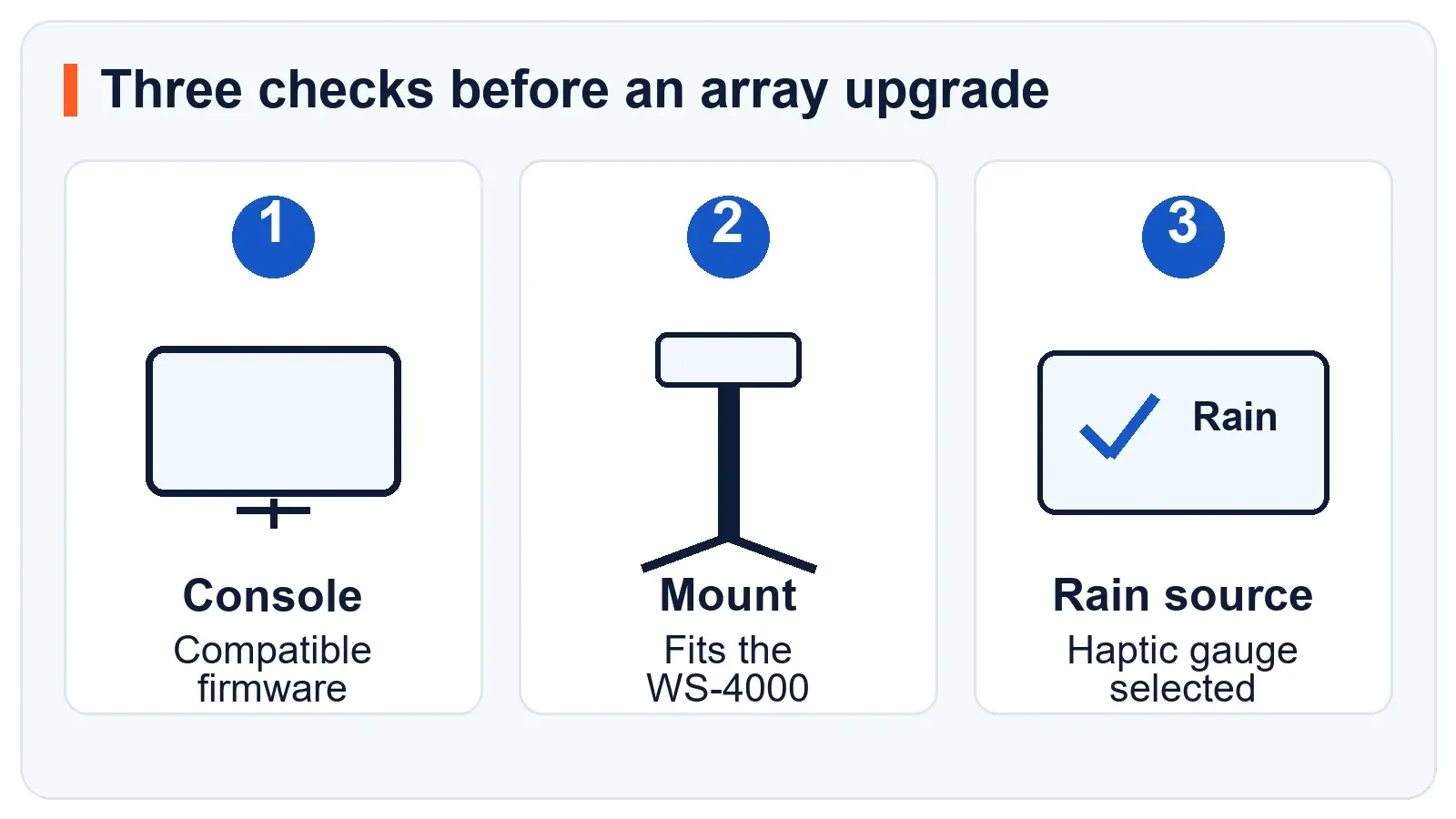
Use this sequence before deciding:
- Name the problem with the current station. A clogged collector, aging outdoor array, poor exposure and a failed console lead to different spending decisions.
- Check whether maintenance solves it. A clear funnel or improved placement may restore useful observations without replacing the system.
- Verify console compatibility. Match the model and firmware requirements to Ambient's current upgrade instructions. Save settings and follow the supported update method.
- Price the whole installation. Include the array, compatible mount, batteries and any reference gauge you want for rainfall checks.
- Confirm the rain-data source after setup. Ambient's rainfall troubleshooting instructions show that the console must select the haptic rain gauge to receive that rain data.
An array upgrade makes the most sense when the console is healthy and the outdoor hardware is the part you want to change. A complete kit may be more practical when several components need replacement. Compare the actual packages and delivered cost, not just the model numbers.
Which station fits your situation?
For conventional rain collection
It is a sensible choice for an owner who wants to understand and inspect the measurement path, can service the array and does not need ultrasonic wind hardware. Budget for a suitable installation and plan for periodic cleaning.
The main limitation is access to a combined outdoor array with moving components. If cleaning already feels unrealistic at your chosen location, solve that installation problem before buying. Our complete WS-2000 guide covers its broader ownership considerations.
For compact outdoor hardware
It suits an owner who values a compact array and the removal of mechanical wind and rain parts. It is strongest when you can provide a stable site and are willing to compare its rainfall with a trustworthy local reference.
Fewer moving parts do not make the installation maintenance-free or guarantee better measurements. Keep service access and rainfall checks in the plan. Our complete WS-4000 guide explores the system in more detail.
Keep the WS-2000 if the current system already works
A healthy console and a well-maintained array can remain useful. A newer model number is not itself a reason to replace them. Spend first on the specific weakness that affects your observations, whether that is exposure, a worn part or a measurement you cannot currently make.
Common questions
Is the WS-4000 guaranteed to capture gusts better?
No. Transmission speed and sampling speed are different. Ambient's WS-2000 product documentation describes wind samples taken once per second over a 16-second update period. A shorter radio or display interval alone does not establish which station captures a peak gust more accurately. Clean exposure and a stable mount still matter.
Can the WS-4000 use my WS-2000 console?
Ambient documents that upgrade with the required firmware. Confirm the exact console, current firmware instructions and compatible mount. Buying the array does not automatically complete the configuration.
Is the WS-4000 rain gauge maintenance-free?
It removes the funnel and tipping mechanism, but the array and mount still need inspection. Verify rain totals against a suitable reference before making calibration changes. A stable installation remains important.
Which is the better purchase for rainfall records?
Choose based on measurement method, site and your willingness to validate readings. The WS-2000 offers a conventional collection mechanism. The WS-4000 offers impact-based estimation without that mechanism. Neither is an automatic winner at every property.
Bottom line
The WS-2000 pairs conventional rain collection with the same advanced console family. It is a practical choice when you can keep the funnel clear, check the level, and service the cups and vane. Compare the complete installed cost with the WS-4000 before ordering.
The WS-4000 is the stronger fit when you want ultrasonic wind and fewer moving parts in one compact array. Its value depends on a rigid installation and a willingness to validate haptic rainfall. Those ownership requirements matter more than the newer model number.
Already own a healthy WS-2000? Keep it if its measurements meet your needs. If the outdoor hardware is the part you want to change, compare the array-only upgrade, compatible mount, and required console firmware with the price of a complete kit.
Sources and comparison basis
Manufacturer product pages, manuals, compatibility information, and model-specific support guidance were checked on October 26, 2026. Recommendations weigh sensing design, service access, and ownership requirements. Check current prices, included components, and firmware instructions before ordering.
- Ambient Weather WS-2000 product information and WS-2000 manual.
- Ambient Weather WS-4000 product information and WS-4000 manual.
- Current station and sensor compatibility chart.
- Haptic and tipping-bucket rain comparison, WS-2000 array maintenance, and WS-4000 rainfall troubleshooting.
- WS-4000 array-only package and existing-console upgrade instructions.
Related Station Guides
Use these guides to improve the installation and maintain useful readings:
- Installation and siting explains how to limit obstruction, heat, and splash errors.
- Weather station accuracy separates sensor limits from fixable setup problems.
- Maintenance checklist covers the collector, wind sensors, power, and mounts.