
Tempest Weather Station Review: The Best App-First Station?
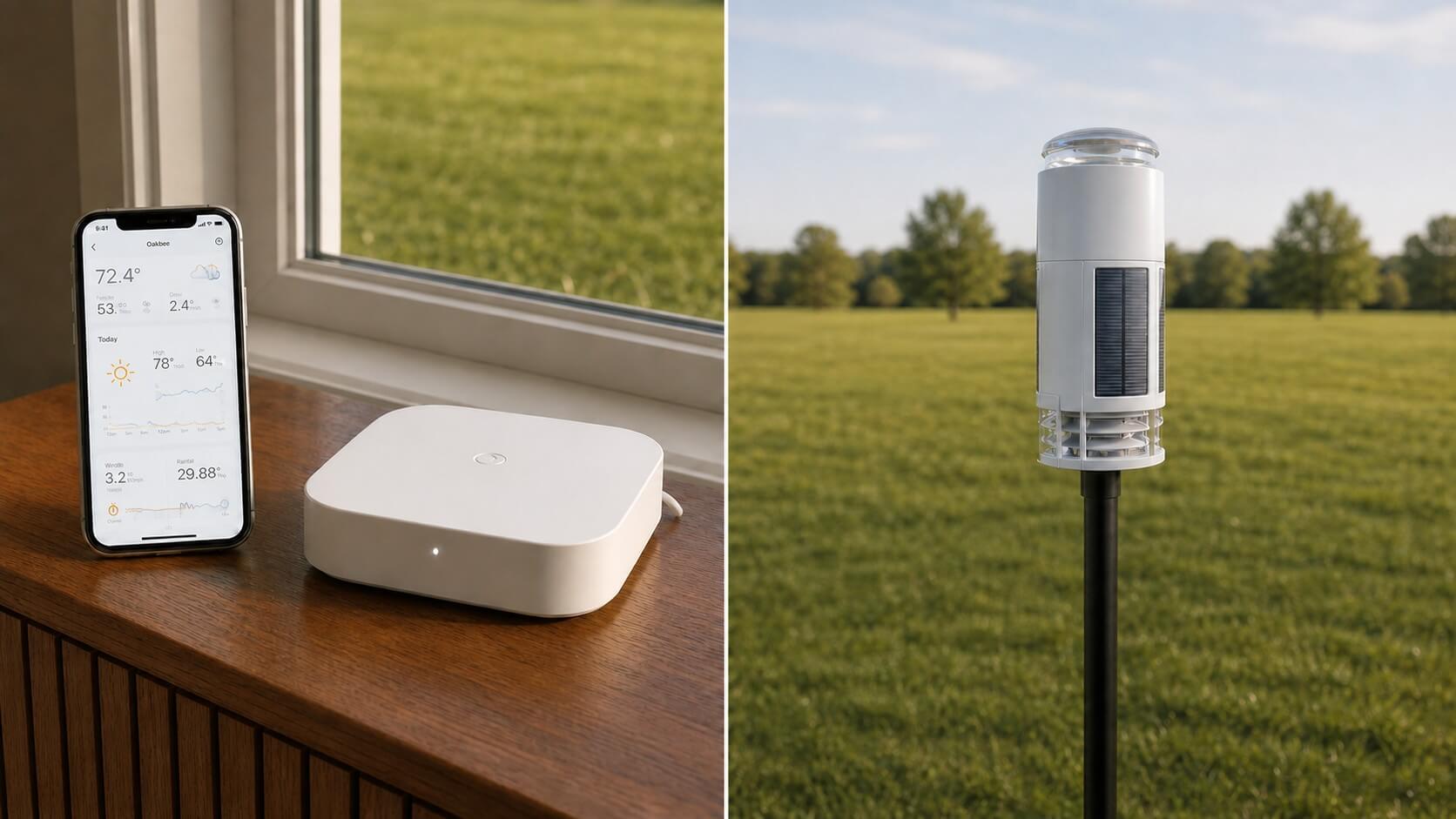
Tempest removes the cups, vane, rain bucket, and indoor console. In return, you get a compact solar-powered sensor, fast app access, strong integrations, and a forecast system built around your exact location.
Affiliate disclosure: WXObservation may earn a commission from qualifying Amazon purchases, at no additional cost to you. Availability, seller, bundle contents, and prices can change, confirm the exact model number before ordering.
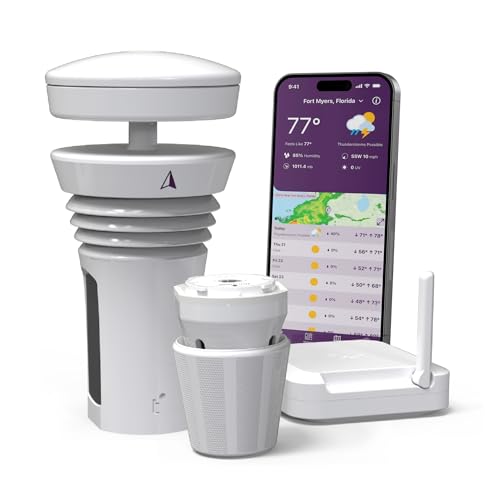
Tempest Weather System
A compact solar-powered outdoor station and Wi-Fi hub deliver local observations, lightning detection, forecasts, alerts, history, and integrations without a required personal-use subscription.
Confirm the page describes the current Tempest package and the included hub. Marketplace inventory can mix earlier hardware photography with the 2026 revision.
What changed with Tempest ’26?
The current generation keeps the familiar cylindrical, no-moving-parts concept but updates the parts that matter over a long ownership cycle. Tempest lists larger solar panels, redesigned charging, a user-replaceable lithium-titanate battery, upgraded temperature, humidity, and rain sensing, a more weather-resistant coating, and a lower-profile hub. Those changes address power reserve and serviceability without changing the basic experience.
There are still no cups, wind vane, or tipping bucket. Ultrasonic pulses measure wind across the top of the unit, while a haptic sensor detects the impacts of raindrops. The station reports through its hub to Tempest’s cloud service and apps. If the absence of a dedicated color screen feels like a missing part rather than a benefit, Tempest is probably not the right fit.
Measurements and specifications that matter
| Decision point | Tempest |
|---|---|
| Direct outdoor observations | Temperature, relative humidity, station pressure, wind speed and direction, rain detection/accumulation, UV, brightness/solar exposure, and lightning activity. |
| Derived values | Dew point, feels-like values, sea-level pressure, wet bulb, Delta T, air density, forecasts, and other app calculations. |
| Rain method | Haptic impact sensing rather than a collection bucket. The system estimates accumulation from detected impacts and local calibration/modeling. |
| Wind method | Ultrasonic, with no cups or vane to ice, seize, or wear. |
| Power | Integrated solar charging with an internal replaceable battery on the 2026 revision. |
| Network | Outdoor unit to included hub. Hub requires 2.4 GHz Wi-Fi for normal cloud/app operation. |
| Display | No dedicated indoor weather console. Use the Tempest app, web dashboard, integrations, or a compatible third-party display. |
Haptic rain is clever—but know what you are buying
A haptic rain sensor listens for drop impacts and estimates rainfall. It avoids a funnel that can clog with leaves, insects, or debris, and it has no tipping mechanism to level and calibrate. It can also react to vibration, hail, movement, or an unstable mount. Tempest’s own guidance acknowledges that motion can create false rain. A rigid pole and careful placement are not optional details.
For everyday timing, storm alerts, and local trend awareness, the approach is useful. For a buyer whose first priority is audit-friendly rainfall totals from a physical collection area, a well-sited tipping-bucket station may feel easier to verify. We would not select Tempest solely because its rain design looks maintenance-free.
App, forecasts, data, and integrations
This is where Tempest earns its premium. Current observations, graphs, alerts, local forecasts, historical data, and station sharing are presented coherently. Personal-use access does not require a monthly subscription, and Tempest publishes API and integration options for enthusiasts. Alexa, Google Assistant, Siri shortcuts, IFTTT, Rachio, Home Assistant, and other services can use the station through supported paths.
The forecast is not simply the console icon produced by barometric pressure. Tempest combines the station’s observations with broader weather models and machine learning to tune a location-specific forecast. That can be genuinely useful, but it remains a forecast—not a replacement for official warnings or radar during hazardous weather.
Placement: the single-sensor compromise
Tempest recommends a practical compromise height around 6–8 feet for many home installations. That is higher than an ideal temperature screen and lower than the standard exposure used for unobstructed wind. The goal is not a laboratory-perfect site. It is a stable, open location that represents the property and remains serviceable.
- Use a rigid pole that cannot sway or vibrate in gusts.
- Keep the unit above nearby splash, irrigation, decks, roofs, and heat-reflecting surfaces.
- Maximize open exposure, especially toward prevailing winds.
- Orient the unit to true north as directed during setup.
- Test hub reception and 2.4 GHz Wi-Fi before making the mount permanent.
Ownership and reliability considerations
No moving wind or rain parts eliminates several common failure points. The replaceable 2026 battery is also a meaningful improvement. Solar exposure, hub connectivity, cloud service dependence, and the app remain part of the ownership chain, however. If the internet is down, local sensing may continue, but the normal remote experience depends on the hub and service path.
Tempest versus conventional stations
| Choose Tempest when… | Choose a conventional station when… |
|---|---|
| You want minimal visual clutter and no moving wind/rain hardware. | You want a dedicated indoor color console included. |
| Phone, web, API, irrigation, and smart-home integrations are central. | You prefer a physical rain bucket that is easy to inspect and calibrate. |
| Lightning detection and a polished forecast platform matter. | You need separately sited wind and temperature/humidity sensors. |
| You accept cloud dependence for the normal experience. | You want a more self-contained console-first system. |
Who should buy Tempest?
Tempest fits a household that checks weather on phones, wants a clean installation, and values integrations more than a traditional console. It is especially persuasive for irrigation users, smart-home owners, frequent travelers, and anyone tired of replacing wind cups or clearing a narrow tipping-bucket mechanism. It also suits locations where a visually discreet sensor is more acceptable than a large mechanical array.
It is a weaker fit for a classroom or kitchen where several people expect to glance at one always-on display, for rainfall observers who want a physical catchment to inspect, or for a property where the only available pole shakes in wind. Buyers with room to site wind, rain, and temperature separately can also achieve better exposure with a modular system. The convenience premium makes sense only when Tempest’s software and low-maintenance hardware solve problems you actually have.
Pros and limitations
- Clean, compact outdoor hardware with no moving parts.
- Excellent app, web dashboard, API, and integration support.
- Lightning, UV, brightness, wind, rain, temperature, humidity, and pressure in one device.
- Solar charging and replaceable 2026 battery.
- No required subscription for ordinary personal use.
- No included indoor display.
- Haptic rain is sensitive to vibration and less directly verifiable than a bucket.
- All-in-one placement compromises ideal wind and temperature exposure.
- Normal remote use depends on hub, Wi-Fi, cloud, and app.
- Premium price for an app-first system.
Does Tempest require a subscription?
No subscription is required for the normal personal-use app, web, data, forecast, and integration experience described by Tempest. Optional third-party services may have their own terms.
Does Tempest include an indoor display?
The answer is no. The standard package uses the Tempest app and web dashboard. A phone, tablet, smart display, or compatible third-party display fills the console role.
How does Tempest measure rain without a bucket?
A haptic sensor detects drop impacts and the system estimates accumulation. A stable mount is important because vibration or movement can resemble rain impacts.
Can Tempest work with 5 GHz Wi-Fi?
The hub setup requires a compatible 2.4 GHz network. Dual-band routers usually work when 2.4 GHz is enabled and devices can complete onboarding.
Is Tempest a professional weather station?
It is a capable consumer personal weather station. Tempest itself positions it for home use. It should not be treated as a calibrated regulatory or aviation instrument.
Bottom line
Tempest is the clearest premium recommendation for someone who wants a nearly invisible outdoor station and lives in apps, automations, and dashboards. It is not the universal best station: console-first buyers, rainfall purists, and users who want separated sensor placement should choose a conventional system. For the right buyer, the current 2026 revision fixes enough ownership details to justify its place near the top of today’s market.
Verify that the listing is the current package and that a phone/web display fits how you want to see weather indoors.
Sources and verification
- Tempest current product page
- Tempest ’26 hardware announcement
- Tempest system FAQ
- Tempest siting and installation guide
- Tempest rain-data guidance
- Amazon product page checked for exact ASIN/model match. Price and availability are intentionally omitted because they change.
Related weather-station reviews
WS-2902 review
Compare the more established Ambient all-in-one with UV and solar measurements.
Optimus review
Compare AcuRite’s compact current platform with built-in lightning detection.
WS-2000 review
Move up to a larger console, separate indoor sensor, and broader enthusiast controls.
Related Station Guides
Use these practical guides to get more reliable readings and a better ownership experience:
- Installation and siting — Place the sensors where buildings, pavement, trees, and roofs will not bias the readings.
- Weather station accuracy — Separate normal instrument limits from fixable siting, setup, and maintenance errors.
- Share station data online — See why owners publish observations and what to consider before connecting a network.