
Solar vs. Battery-Powered Weather Stations: What Actually Runs on What
Understand solar panels, backup cells, rechargeable batteries, wall-powered consoles, and outage behavior before choosing—or troubleshooting—a home weather station.
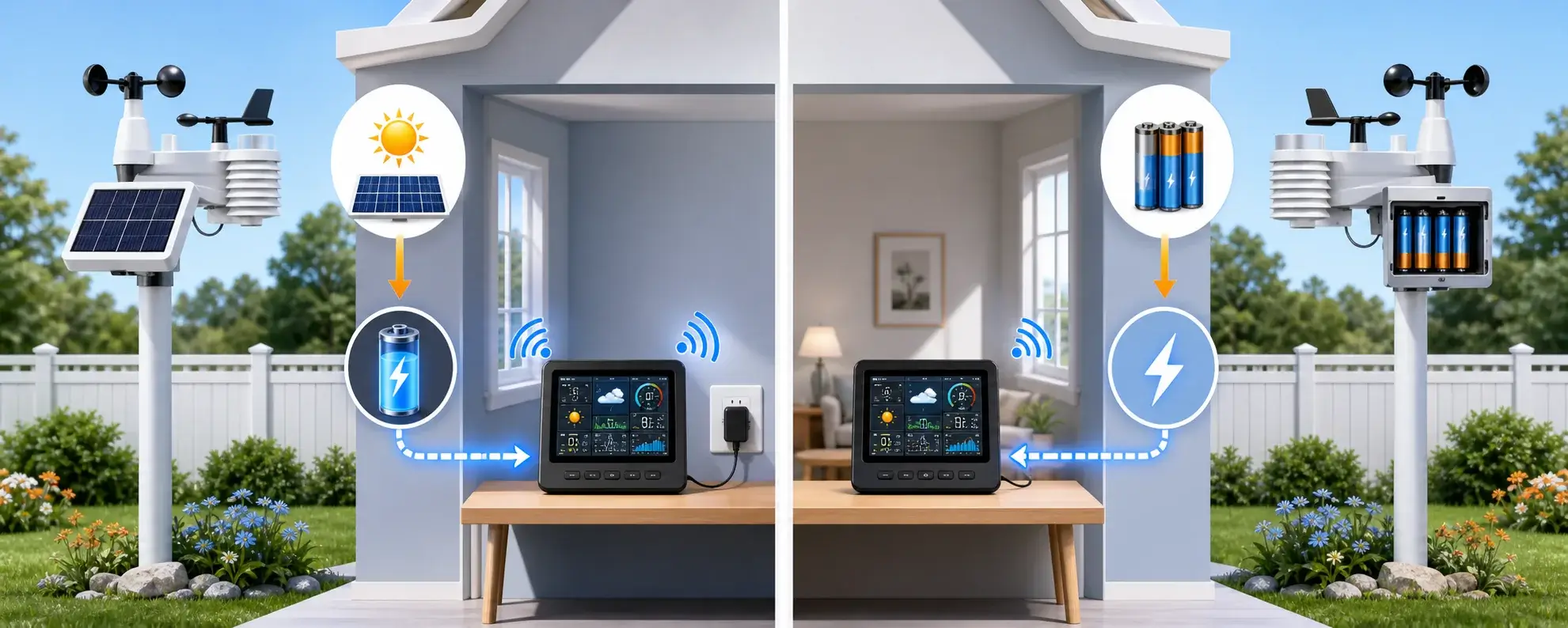
Four power designs you will encounter
| Power design | What it means | Best fit | Watch for |
|---|---|---|---|
| Solar primary + replaceable backup batteries | The panel normally powers the outdoor array, disposable batteries keep it operating through low light | Full sensor suites in an open, sunny location | Battery chemistry, panel cleanliness, shade, console power |
| Solar charging an internal rechargeable battery | The panel recharges onboard storage | Low-maintenance integrated stations | Winter sun, power-saving modes, serviceability by model generation |
| Replaceable-battery primary | Outdoor sensors—and sometimes the display—run from AA/AAA cells | Simple installation, shaded sites, portable or off-grid display use | Replacement interval, cold-weather voltage, lost settings |
| Wall-powered console or hub + battery backup | The outdoor array may be wireless, but the indoor component needs an adapter for full-time operation or Wi-Fi | Bright displays, internet uploads, alerts | Backup may preserve memory without keeping every feature active |
Current examples that illustrate the difference
Affiliate disclosure: If you buy through an Amazon link below, WXObservation may earn a commission at no additional cost to you.
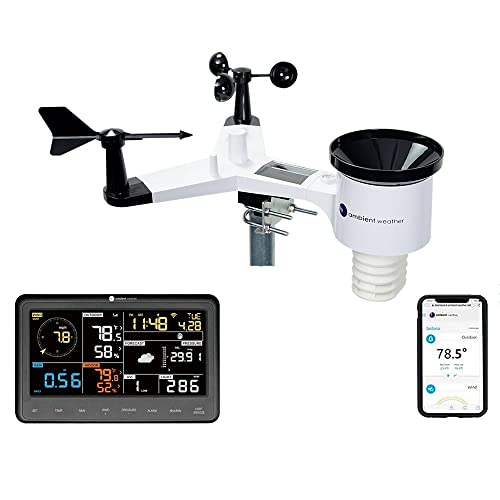
Solar primary · AA backup
Ambient Weather WS-2902
The outdoor array uses its solar panel and supercapacitor as the primary energy path, with two non-rechargeable AA batteries for backup when solar energy is limited. The indoor base station uses a 5V adapter and can take three AAA backup batteries.
Verify WS-2902 power specifications →
Confirm that the listing includes the display, outdoor array, and mounting hardware you expect.
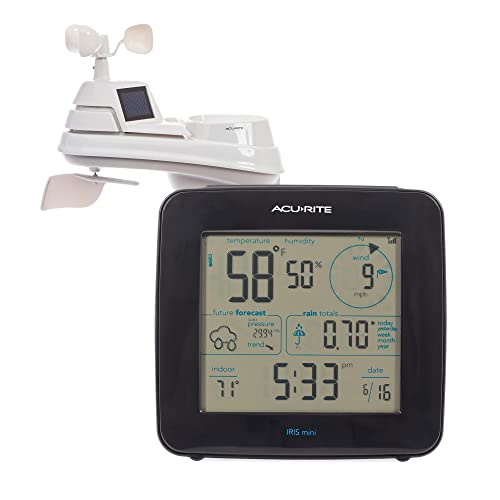
Battery primary · solar-assisted fan
AcuRite Iris with mini display (01122M)
This setup is a useful battery-powered contrast: the Iris outdoor sensor and compact indoor display use replaceable batteries. On the outdoor array, the solar panels power the internal ventilation fan rather than replacing the sensor batteries.
Verify AcuRite Iris power and installation →
This listing is for the 01122M package. Confirm that the display and accessories shown are included.
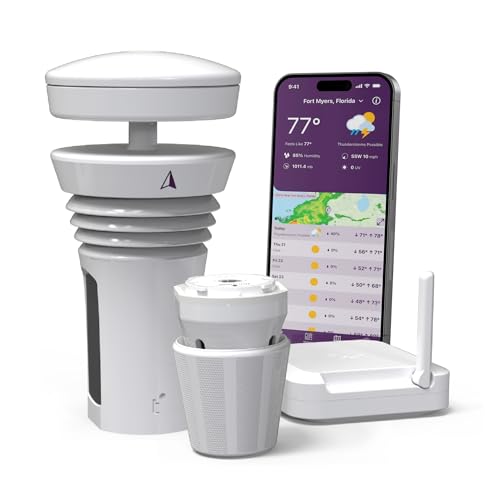
Solar + onboard rechargeable battery
WeatherFlow Tempest
Tempest uses solar energy to charge an onboard battery. The included hub still needs indoor power, and hub backup is a separate accessory.
Verify Tempest solar and battery details →
Amazon sellers may not be authorized by WeatherFlow, confirm the seller and warranty eligibility before buying.

Solar outdoor suite · backup cell
Davis Vantage Vue with WeatherLink Console
The Vantage Vue outdoor suite uses solar power with a backup cell. The WeatherLink Console has separate indoor power requirements.
Verify Vantage Vue power specifications →
This listing pairs the Vantage Vue sensor suite with a WeatherLink Console, other Davis bundles use different receivers.
How to choose the right power setup
Choose solar-primary when…
The array has reliable sun exposure, you want fewer routine battery changes, and you can still access it for backup-cell service.
Choose battery-primary when…
The site is shaded, the system is simple or portable, or replaceable cells are preferable to an internal rechargeable design.
Plan wall power when…
You want a bright always-on display, Wi-Fi uploads, or a gateway. “Wireless sensors” does not mean the entire system is off-grid.
Battery selection and replacement
- Follow the manual’s chemistry guidance. Our lithium vs. alkaline weather station battery guide compares voltage, cold-weather behavior, and rechargeable compatibility. Do not assume rechargeable AAs are supported.
- Replace a set together. Use fresh, matching cells from the same package and check polarity.
- Protect seals and terminals. Keep the compartment clean and dry, inspect for corrosion and correctly reseat the gasket or cover.
- Reset only as directed. Some systems require a specific sensor/console startup order after battery service.
- Record the date. A simple maintenance log makes intermittent winter problems easier to diagnose.
Cold weather, shade, and outages
Cold can reduce available battery voltage, and short winter days can reduce solar charging. A panel shaded by leaves in summer may be shaded by a building in winter. Before blaming the hardware, clean the panel safely, check exposure at the season’s low sun angle, inspect battery condition, and review any power-saving status in the app.
A battery in the outdoor sensor does not guarantee continuous cloud data during a household outage. The router, hub, console, and internet connection all need power too.
Plan battery access before choosing the mounting height
A high or roof-mounted array may improve wind exposure, but every battery replacement, reset, inspection, and solar-panel cleaning becomes harder. Estimate how safely you can reach the compartment in winter, after a storm, or when the station is offline. Record the installation date and the exact manual-approved battery type, and replace seals or covers only as the manufacturer directs. Easy maintenance access is part of a reliable power design—not an inconvenience to solve after installation.
Troubleshooting low-power symptoms
| Symptom | Likely checks |
|---|---|
| Outdoor data disappears overnight | Backup battery condition, panel exposure, power-saving status, sensor-to-console range |
| Display goes blank when unplugged | Whether batteries are installed and whether the model supports full display operation on backup |
| Data is intermittent in cold weather | Approved battery chemistry, age, corrosion, radio range, and manual reset sequence |
| Solar station reports low battery | Panel cleanliness, seasonal shade, rechargeable storage state, firmware/status guidance |
| Local display works but uploads stop | Hub, router, internet, account, and wall-power path |
Frequently asked questions
Is a solar weather station completely solar powered?
That is not necessarily true. The outdoor array may use solar while the console or hub uses an AC adapter, and some panels power only a ventilation fan.
Are lithium AA batteries always better in winter?
They often perform well in cold conditions, but use only the chemistry approved by the manufacturer for your exact model.
Can I use rechargeable AA batteries?
Only if the manual explicitly permits them. Their voltage and charging behavior may not match the station’s design.
Will my station keep uploading during a power outage?
Only if the sensor, console or hub, router, and internet path all remain powered. Outdoor battery backup alone is not enough.
Sources and further reading
These manufacturer references document the power systems, backup batteries, and installation requirements discussed in this guide.
Ambient Weather WS-2902 — Manufacturer specifications for solar-assisted outdoor sensors and console power.
AcuRite Iris installation documentation — Manufacturer power and installation guidance for the Iris 5-in-1 sensor.
WeatherFlow Tempest solar and battery guide — Manufacturer details for the integrated rechargeable power system.
Davis Vantage Vue specifications — Manufacturer specifications for the wireless sensor suite and power supply.