
Home›Ambient Weather› Observer Series owner guide
Ambient Weather WS-1002, WS-1201-IP & WS-1401-IP: Owner and Upgrade Guide
These Observer Series stations are discontinued as current buying options, but existing owners still have a documented replacement-array path. This guide separates console, ObserverIP, sensor-array, calibration, and networking decisions so you can repair one good system—or stop spending when several aging parts are failing.
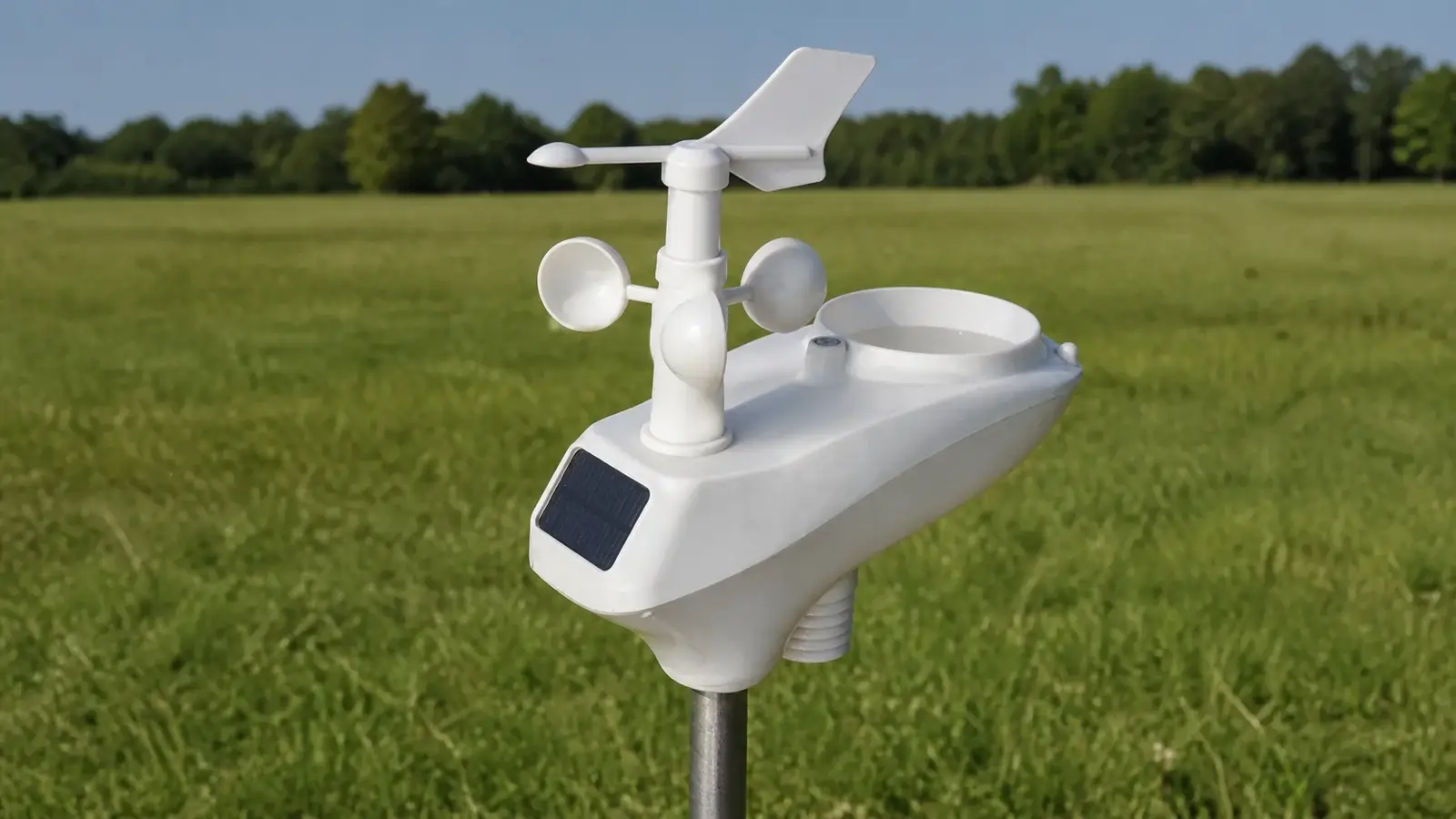
Ambient says the original WS-1002-ARRAY, marked WH24 or WH24B, is discontinued and the WS-2902-ARRAY, marked WH65 or WH65B, is its interchangeable replacement. That swap is not plug-and-forget: the receiving console and/or ObserverIP must be configured for the Osprey array, and wind and rain must be validated after conversion.
What is discontinued—and what remains supportable
Original WH24/WH24B array
The WS-1002-ARRAY product page marks the original array discontinued and unavailable. Owners should not plan around finding a new old-stock WH24 or WH24B at a predictable price.
WS-2902-ARRAY / WH65 family
Ambient lists the Osprey WS-2902 replacement array as interchangeable for WS-1002, WS-1201, and WS-1401 systems after the receiving equipment is updated and calibrated correctly.
Manuals, FAQs, and firmware remain
Ambient still publishes Observer Series manuals, tagged troubleshooting articles, ObserverIP firmware information, and conversion guidance. Availability of replacement consoles and gateways can change.
This makes the old pages useful as an owner guide, not as three current buying reviews. A used Observer system may still collect good data, but condition, receiver revision, parts availability, seller claims, firmware history, and calibration matter more than the original marketing specifications.
Identify the system before buying a part
| Model | Local display | Internet path | What receives outdoor RF | Array-conversion consequence |
|---|---|---|---|---|
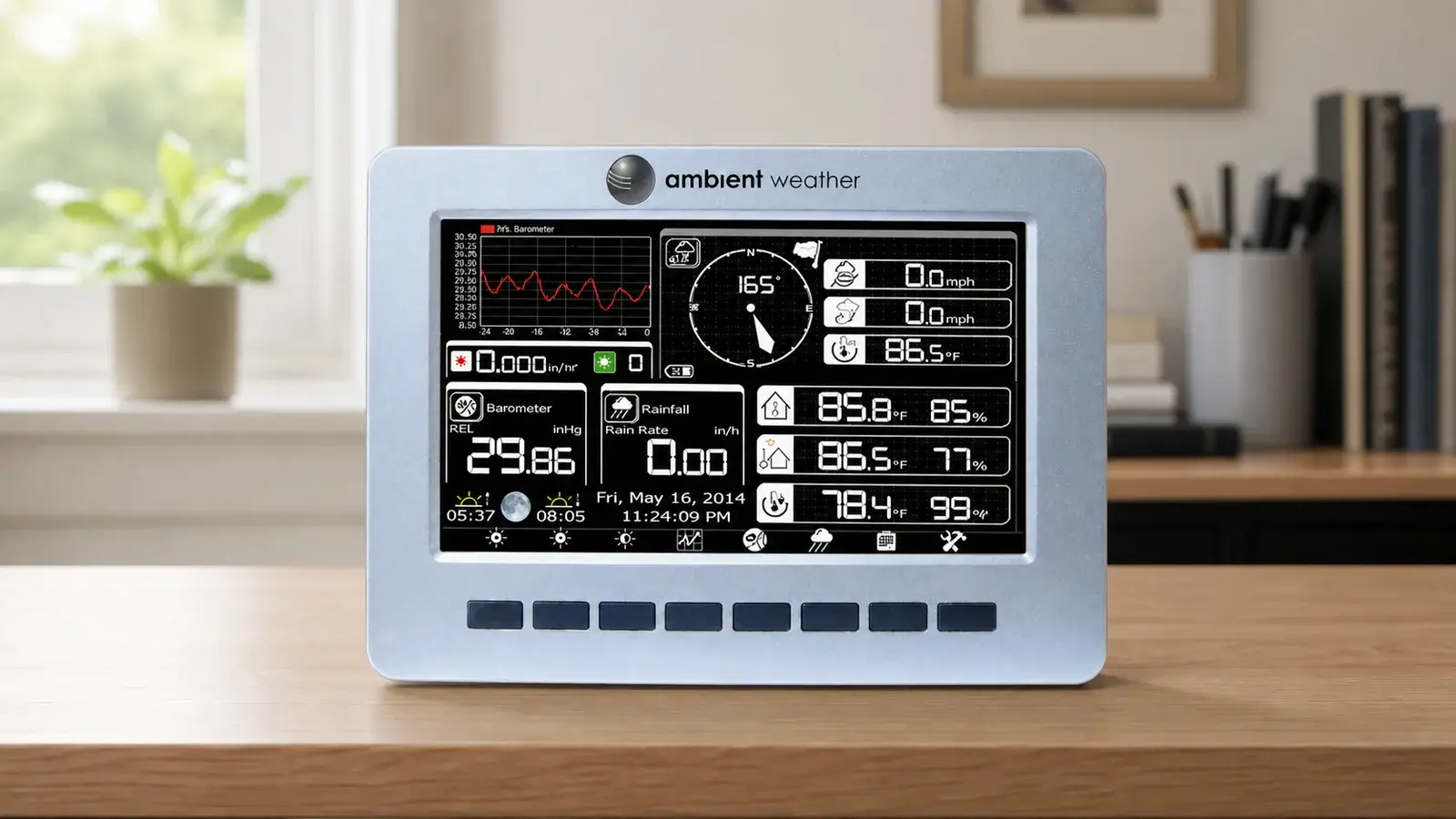
| WS-1002-WIFI | Included Wi-Fi color console | Console joins the home network over Wi-Fi | Console | Configure and calibrate the Observer console for the WS-2902 replacement array. |
| WS-1201-IP | Included color console | ObserverIP uses wired Ethernet to the router | Console and ObserverIP independently receive the outdoor and indoor sensors | Update and verify both receiving paths. Changing only one can leave console and uploads disagreeing. |
| WS-1401-IP | No display console in the standard bundle | ObserverIP uses wired Ethernet to the router | ObserverIP | Change the ObserverIP array type/configuration and verify network reporting. |
Diagnose the failing layer first
Observer systems can fail in several places that look similar on a cloud dashboard. Work from local hardware outward.
Solar, capacitor, batteries, terminals
Check the outdoor transmitter LED behavior, use fresh manufacturer-recommended non-rechargeable batteries, and inspect terminals for corrosion. A rapid, constant, or missing flash can indicate a power or array fault.
Array to console or ObserverIP
Bench-test the array roughly 10 to 25 feet from the receiver. Reorient or move ObserverIP away from routers, power adapters, and other RF/EMI sources before condemning the array.
Console and ObserverIP are separate
On WS-1201-IP, the display can receive good data while ObserverIP does not, or the reverse. Compare both before replacing a sensor that one receiver can still see.
LAN/Wi-Fi, server settings, and credentials
If live data is correct locally but AWN or Weather Underground is stale, troubleshoot router connection, upload settings, MAC registration, station ID/key, and service status rather than the array.
- A small stable bias may justify calibration after comparison with a trustworthy reference.
- Spikes, fixed 1% or 99% humidity, dashes, rain-only temperature drift, or a mechanically binding wind system can indicate array failure rather than a calibration problem.
- Clean the rain funnel and tipping mechanism and check manual tips before replacing an array for low rainfall.
- Do not use calibration to hide heat exposure, obstruction, vibration, corrosion, low batteries, or a failing sensor.
How to approach the WS-2902 replacement-array conversion
The official replacement page is the authority for the current part and help files. This checklist adds the rollback and verification steps that are easy to miss.
- Confirm every exact model. Identify the station bundle, console, ObserverIP, old array marking, indoor sensor, regional frequency, and current firmware before ordering.
- Save the current configuration. Photograph or write down wind and rain gains, temperature/humidity/pressure offsets, accumulated rain totals, network settings, upload destinations, MAC address, and any station IDs or keys.
- Bench-test the existing system. Determine whether the console, ObserverIP, and network path work with the old array. A new array cannot repair a failing gateway or display.
- Install the WS-2902 replacement array near the receiver first. Power and reset it according to the current instructions, then pair and verify all channels before permanent mounting.
- Configure every receiver that needs the new array. For WS-1002-WIFI, follow the current Observer-console conversion and gain guidance. For WS-1401-IP, update the ObserverIP configuration. For WS-1201-IP, verify both the independent console and ObserverIP paths.
- Use the manufacturer’s current gains and array-type settings. Do not copy an old forum value blindly. Ambient has published different directions for different array/receiver combinations. Follow the exact linked help article for your direction of conversion.
- Validate before climbing. Check temperature, humidity, pressure, UV/solar, wind direction and response, and manual rain tips. Confirm local display and online upload agree.
- Mount, level, and revalidate. After permanent installation, inspect wind orientation, rain leveling, exposure, and the saved calibration baseline across meaningful weather events.
Firmware and reset safety
Firmware can correct receiver behavior and add supported sensors, but a legacy update deserves a rollback mindset. ObserverIP firmware and console firmware are not interchangeable.
Capture versions and settings
- Confirm the exact receiver and hardware revision.
- Download only the matching manufacturer file and instructions.
- Save calibration, rain totals, MAC, network settings, and upload credentials.
- Use stable power and do not interrupt the process.
Verify every path
- Confirm array type and sensor registration.
- Recheck units, time zone, pressure, wind and rain gains.
- Confirm console and ObserverIP agree where both are present.
- Confirm AWN and any third-party destination resume reporting.
- A factory reset can erase calibrations, totals, and other stored values.
- Do not install a firmware file merely because the page mentions another Observer model.
- If a receiver is stable and no required fix applies, updating only because a file exists may create unnecessary risk.
- Used or open-box ObserverIP modules may have unknown firmware and settings, inspect them before connecting to the working system.
Repair, replace one part, or retire the system?
| Situation | Reasonable action | Why |
|---|---|---|
| One dirty or loose component, all data paths otherwise stable | Clean, reseat, replace batteries, and retest | The lowest-cost fault should be eliminated before buying discontinued hardware. |
| Small repeatable sensor bias with good exposure | Compare against a trusted reference, then calibrate | A controlled offset can be legitimate. Unstable or extreme errors are different. |
| Old WH24/WH24B array failed, console/ObserverIP and network are dependable | Consider the WS-2902 replacement array conversion | Ambient documents the array path and it preserves the existing receiving equipment. |
| WS-1201-IP console works but ObserverIP does not | Troubleshoot or replace the receiver path separately | The console and ObserverIP are independent receivers. A good display does not prove the gateway works. |
| Multiple failures, intermittent networking, unavailable receiver, and suspect array | Retire the system and move to a current platform | Stacking legacy parts can approach the cost of a supported station without restoring long-term reliability. |
| Used replacement has unknown revision or no return path | Price the risk, not only the part | Compatibility, firmware, hidden corrosion, and prior lightning or water damage are difficult to verify. |
Current upgrade paths
Choose the destination by what you want to change. The linked pages own the current product evaluations, this legacy guide only routes the migration.
WS-2000 A current conventional array paired with the advanced TFT console and broader optional-sensor ecosystem.
WS-4000 A compact current system using ultrasonic wind and haptic rain, it requires its model-specific mount.
WS-5000 A modular current system with ultrasonic wind and a separate tipping-bucket rain gauge.
Current Ambient lineup Compare platform position, communications, mounts, accessory categories, and support without a pairwise verdict.
Decommission without losing useful history
- Export any available console or AWN history before disconnecting the old station.
- Record the last known good calibration settings and component model numbers.
- Photograph wiring, mount, orientation, and the old dashboard before dismantling.
- Do not reuse a corroded or undersized mount simply because the new bracket can be forced onto it.
- Register the new station as a new device when required. Do not overwrite the old MAC record until the new stream is verified.
- Compare both stations briefly if possible so pressure, rain totals, and local exposure can be checked before final removal.
Manuals, conversion help, and support
It links the receiver-specific console and ObserverIP conversion instructions. Ambient’s tagged model support pages also preserve troubleshooting for transmitter LEDs, RF reception, humidity, wind cups, rain, firmware, console boot problems, network upload, and add-on sensors.
When contacting support, include the full station model, array marking, console or ObserverIP revision, firmware version, MAC address, symptom, LED behavior, battery type, and the troubleshooting already completed.
Observer Series owner FAQ
Are the WS-1002-WIFI, WS-1201-IP, and WS-1401-IP discontinued?
They are legacy systems rather than current new-buy recommendations. Ambient specifically marks the original WS-1002-ARRAY/WH24 family discontinued, while still publishing manuals, support, ObserverIP information, and an Osprey replacement-array path.
Can I replace the Observer array with a WS-2902-ARRAY?
Ambient lists the WS-2902-ARRAY as the interchangeable replacement for these models, but the receiving console and/or ObserverIP must be configured for it. Calibration and end-to-end verification are part of the conversion.
Why do my WS-1201-IP console and online dashboard disagree?
The console and ObserverIP independently receive the outdoor and indoor sensors. One can have poor RF reception, the wrong array configuration, or different calibration while the other appears normal.
Does the WS-1401-IP include a display console?
The standard WS-1401-IP bundle did not include a display console. It used ObserverIP and online services for access. Used bundles may be mixed, so identify the actual components.
Should I update ObserverIP firmware before replacing the array?
Check the official conversion directions and current firmware notes for your exact hardware. Record settings first and update only with the matching file and stable power. Firmware is not a substitute for a failed sensor or gateway.
Can calibration fix a failing sensor?
Calibration can correct a small stable bias after a trustworthy comparison. It cannot reliably repair intermittent spikes, fixed extreme readings, dashes, mechanical binding, corrosion, bad exposure, or power faults.
Is a replacement array always cheaper than a new station?
That is not necessarily true. Include the array, receiver condition, mount work, firmware risk, missing accessories, and time. A single array swap can make sense. Several uncertain legacy parts often do not.
Should the old WS-1201-IP and WS-1401-IP review pages redirect here?
That is the preferred content architecture if search-query, click, and backlink evidence shows those URLs do not need separate owner-support pages. The redirects should be applied only after this guide is approved and live.
Bottom line
The Observer Series still has a rational repair path when the receiving equipment is stable and the failed part is clearly the old array. Ambient’s WS-2902 replacement-array documentation gives WS-1002-WIFI, WS-1201-IP, and WS-1401-IP owners a way forward, but receiver configuration and validation are mandatory. When the array, console or ObserverIP, and network path are all becoming uncertain, stop stacking legacy parts and move the data history and mount plan to a current platform.
Review basis and primary sources
This owner guide was checked against current manufacturer replacement, support, manual, firmware, and compatibility information in August 2026. Legacy-part availability, firmware, cloud services, and support policies can change.
- Ambient Weather discontinued WS-1002-ARRAY and replacement table
- Ambient Weather Observer-console to WS-2902-ARRAY conversion guidance
- Ambient Weather WS-1002-WIFI tagged support
- Ambient Weather WS-1201-IP tagged support
- Ambient Weather WS-1401-IP tagged support
- Ambient Weather WS-1002-WIFI versus WS-1201-IP communication explanation
- Ambient Weather ObserverIP optional-sensor support
- Ambient Weather WS-1401-IP manual
- Ambient Weather current station and compatible-sensor chart
Related Station Guides
Use these practical guides to get more reliable readings and a better ownership experience:
- Maintenance checklist — Keep the rain collector, radiation shield, wind sensors, batteries, and mounts in working order.
- Weather station sensors explained — Understand what each sensor measures and how its design affects the data.
- Share station data online — See why owners publish observations and what to consider before connecting a network.