
Station Pressure vs. Sea-Level Pressure
A barometer measures pressure where it sits. Weather maps need a way to compare high and low locations, so they reduce observations to sea level. Consumer consoles add their own “absolute” and “relative” labels, which is where the confusion begins.
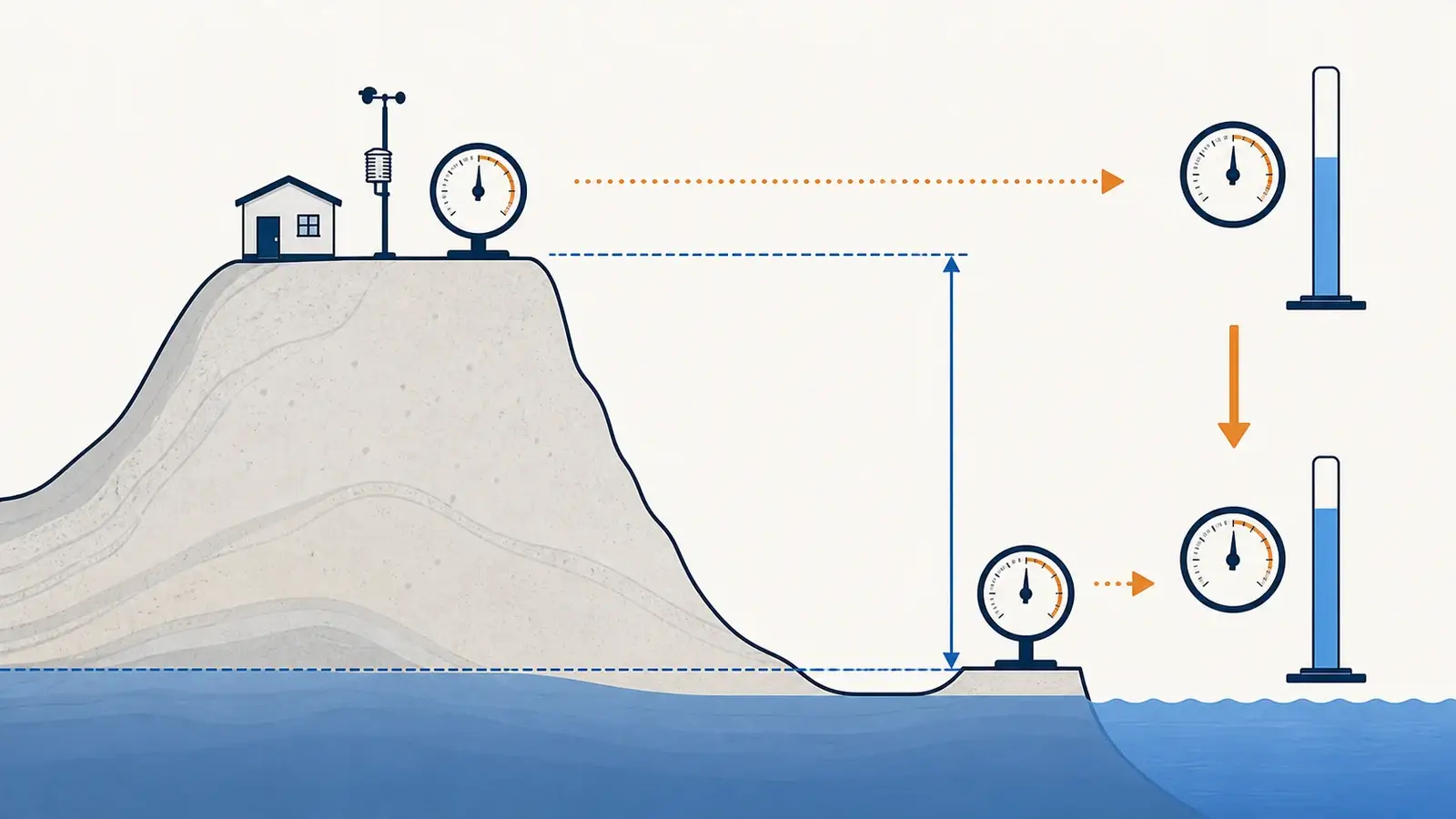
Station pressure is the atmospheric pressure at the barometer’s actual elevation. Sea-level pressure is a calculated estimate of what pressure would be at mean sea level beneath that station, making different elevations easier to compare on a weather map. Many home stations call these absolute and relative pressure, but labels vary. At higher elevation, a large difference between the two is normal.
The five pressure terms you are likely to see
| Term | Meaning | Typical use |
|---|---|---|
| Station pressure | Pressure at the observation elevation—the weight of the air column above that point. | Actual local pressure and the starting value for derived pressure products. |
| Absolute pressure | Common consumer label for station-level pressure, although product terminology is not universal. | Local console data and sensor diagnostics. |
| Mean sea-level pressure | Station pressure mathematically reduced to mean sea level using elevation and atmospheric assumptions or observations. | Surface weather maps, regional highs and lows, and station comparison. |
| Relative pressure | Common consumer label for an elevation-adjusted value intended to resemble sea-level pressure. | Matching public reports and driving forecast tendencies on some consoles. |
| Altimeter setting | An aviation pressure reduction based on a standard-atmosphere method. | Aircraft altimeter setting, not automatically identical to meteorological sea-level pressure. |
Millibars and hectopascals are numerically equivalent for ordinary weather reporting: 1013.2 mb equals 1013.2 hPa. Inches of mercury use a different scale. Unit conversion changes the number’s format, not the kind of pressure being reported.
Why the values separate with elevation
Pressure generally decreases with height because less atmosphere remains above the observer. A barometer on a mountain therefore measures substantially lower station pressure than one near sea level, even when both locations sit beneath the same broad weather system. Plotting those raw values together would make every high-elevation station look like a permanent low-pressure center.
Sea-level reduction removes much of that elevation effect so meteorologists can analyze horizontal pressure patterns. It is a calculation, not a second hidden sensor. The method can use the station elevation, temperature information, and an assumed or measured vertical profile. That is why mean sea-level pressure and an aviation altimeter setting can differ slightly even when derived from the same station pressure.
What a home weather station is probably showing
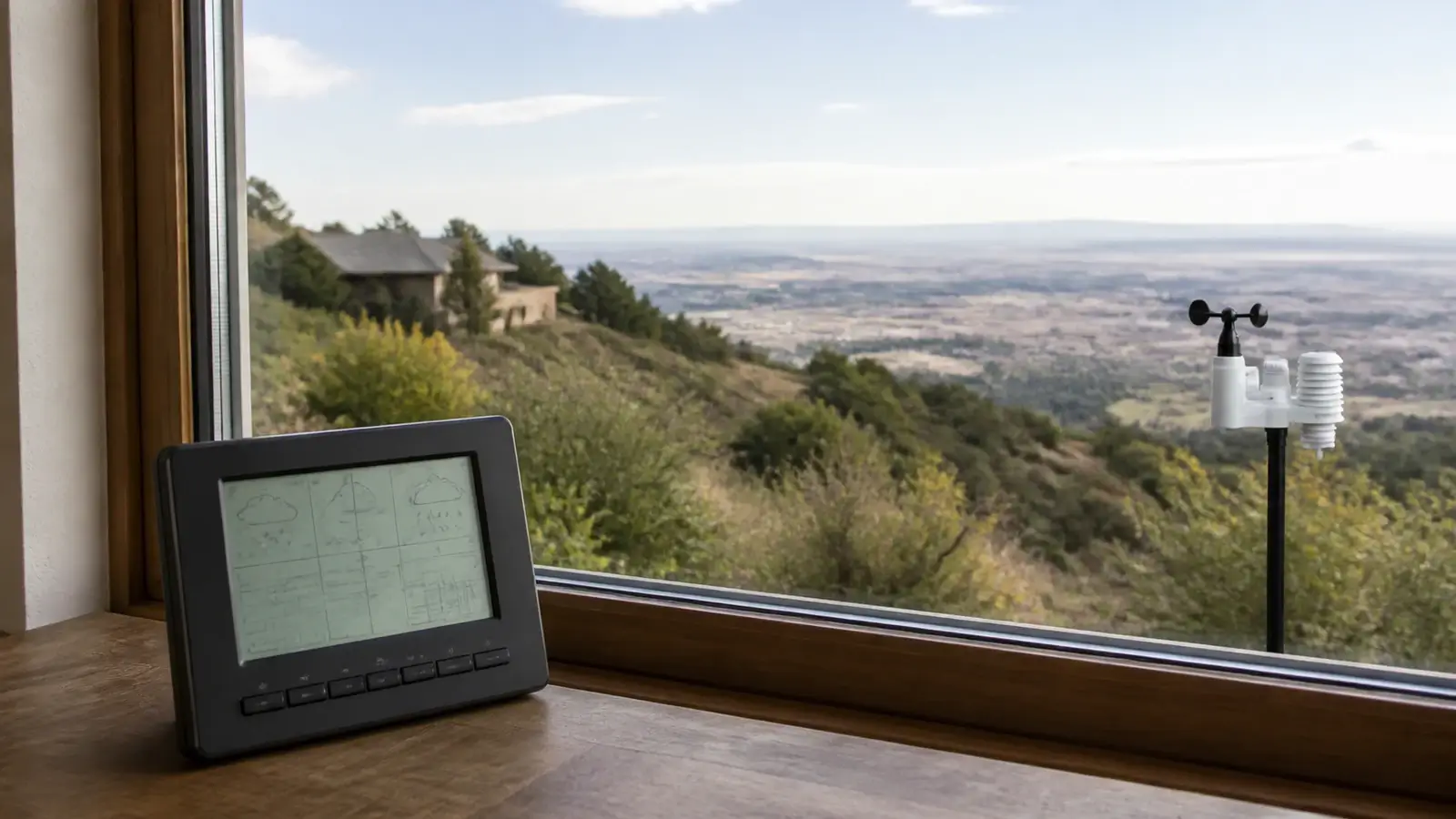
The pressure sensor is often located in the indoor console or in a separate indoor temperature/humidity/pressure transmitter. The console measures a local value and may calculate a second elevation-adjusted field. Some apps upload one or both. A platform may then rename, recalculate, or display only one value.
Find the pressure sensor
Use the hardware diagram. The outdoor array elevation is irrelevant if the actual barometer is on an upstairs console.
Read the field labels in the manual
Identify absolute/station and relative/sea-level modes, plus the unit and any elevation or offset setting.
Check the entered elevation
Use the pressure sensor’s elevation and the unit expected by the setup screen. Feet entered as meters can create an enormous derived error.
Inspect the upload mapping
If the local display is correct but a network is not, confirm which pressure field the console, gateway, software, and service exchange.
Which pressure should you use?
Either well-behaved series can show a rise or fall, but keep the same field. Pressure tendency is often more informative than a single number.
Use mean sea-level or the consumer relative-pressure field when it is configured correctly. This is the value used to compare highs, lows, and nearby reports.
Use station pressure. This is the actual atmospheric pressure at the sensor and is the input for many technical calculations.
Use the official altimeter setting and aviation products. Do not substitute a consumer station’s relative pressure for an airport setting.
If you are uploading to a public network, follow that network’s definition and your software’s field mapping. A plausible number in the wrong field can pass casual inspection while corrupting comparisons.
How to recognize a definition problem
- The home value is much lower than the app and your property is well above sea level: likely station versus sea-level pressure.
- The relative value is implausibly high or low: check elevation units, sign, sensor elevation, and stacked offsets.
- The console matches but the website does not: inspect upload-field mapping and whether the service recalculates pressure.
- The error changes after moving the console upstairs: the station-pressure sensor elevation changed.
- The forecast icon is wrong while pressure values are reasonable: icon logic, learning period, trend, or internet forecast can be responsible.
Once the definitions and elevation are correct, a small stable difference can be handled with the model’s calibration procedure. Preserve the original settings and compare synchronized values through changing weather rather than chasing every rounded update.
Frequently asked questions
Is station pressure the true barometric pressure?
It is the pressure at the station’s actual elevation. Sea-level pressure and altimeter setting are derived values intended for different comparison purposes.
Why is absolute pressure lower than relative pressure?
At elevations above sea level, the raw local pressure is lower. Relative pressure adds an elevation adjustment intended to estimate a comparable sea-level value.
Should I upload absolute or relative pressure?
Use the field required by the destination and confirm how your console or software maps it. Platform terminology is not always identical to consumer-console terminology.
Does pressure drop exactly the same amount per foot?
The answer is no. The pressure-height relationship is not a fixed linear rule and also depends on atmospheric conditions. Let the station’s documented method or an authoritative calculation handle the reduction.
Sources and further reading
These primary and manufacturer references support the definitions, diagnostic steps, and limitations in this guide.
National Weather Service pressure definitions — station pressure, mean sea-level pressure, and altimeter setting
American Meteorological Society: station pressure — formal definition and derivation context
Met Office: measuring atmospheric pressure — station level, sea-level reduction, and pressure tendency
Model controls and reset sequences vary. Use the current manual for your exact console, sensor, hardware revision, and radio region before changing calibration, power, pairing, or network settings.