
How to Calibrate Weather-Station Barometric Pressure
Pressure calibration goes wrong when an actual station-level reading is forced to match an elevation-adjusted public report. Identify the field first, verify the station elevation, choose a suitable reference, and change only a stable, documented bias.
To calibrate a home weather station, first determine whether the console is showing station or absolute pressure, or relative/sea-level pressure. Verify the station elevation used by the console, choose a nearby reliable reference that reports the same pressure type, compare synchronized values during relatively stable weather, and apply only the supported offset. Then monitor the difference through changing pressure for several days.
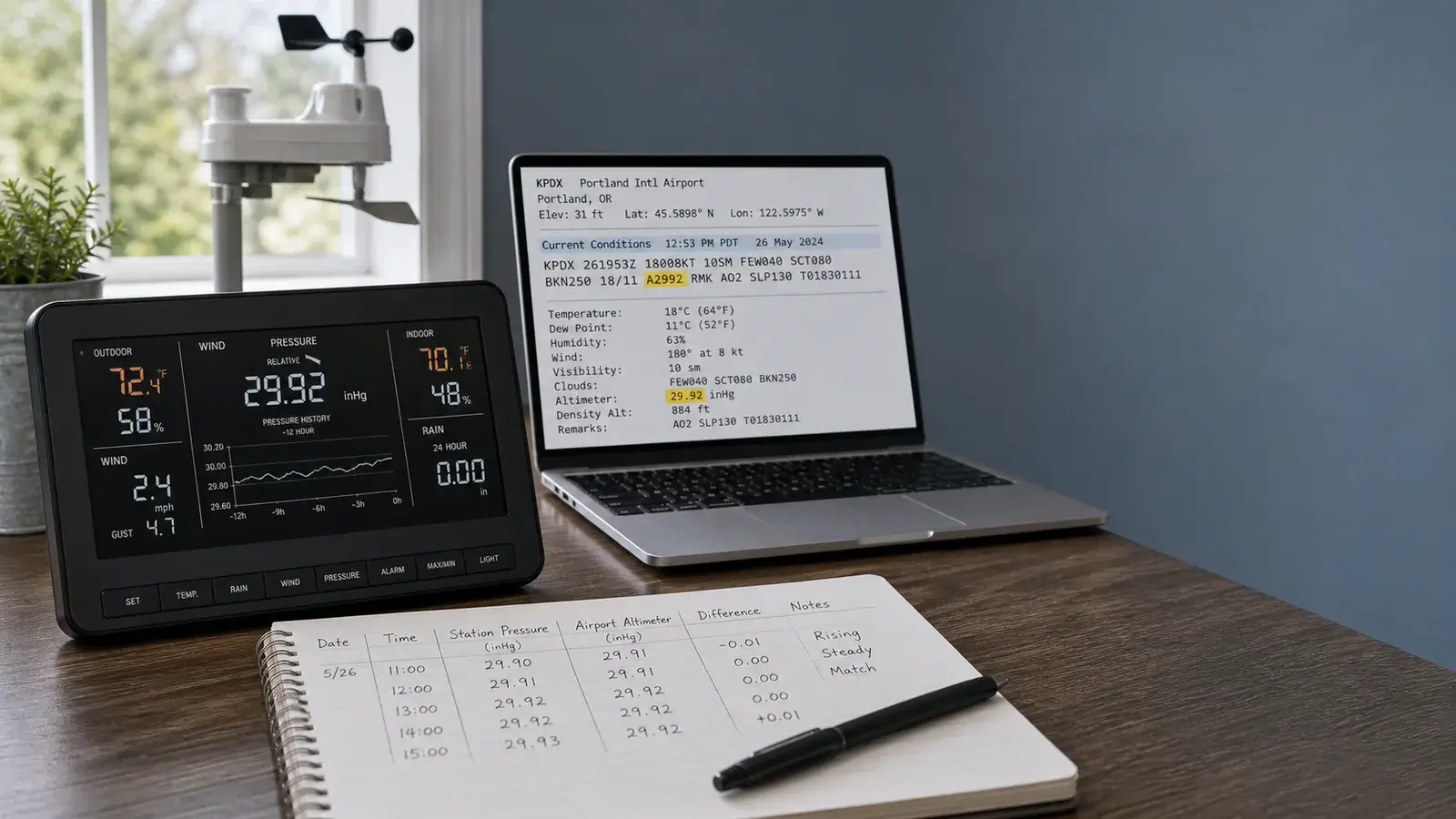
Identify the pressure value before adjusting it
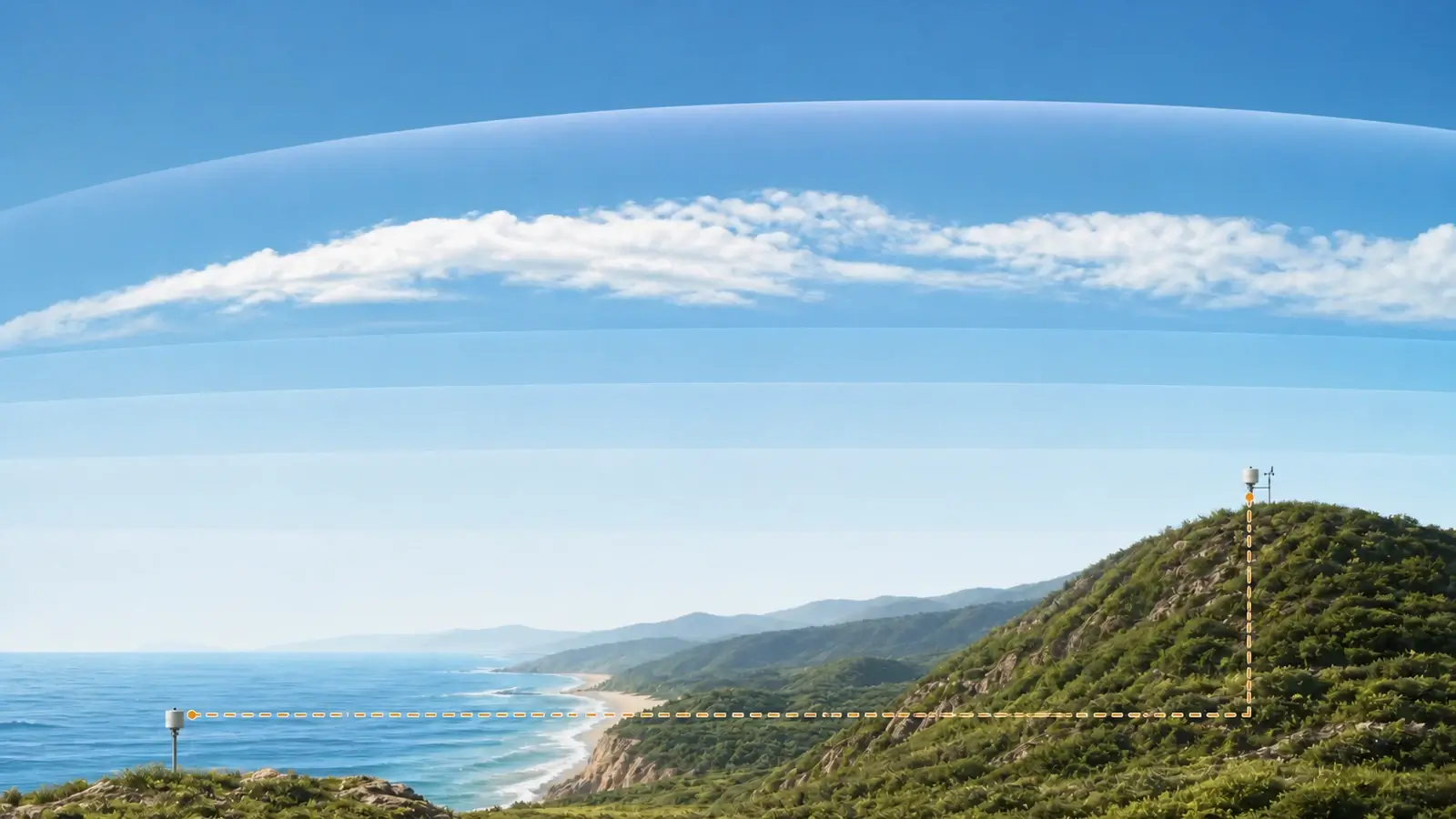
Consumer manuals use several labels for two main ideas. Station pressure—often called absolute pressure by a home console—is the pressure at the sensor’s elevation. Relative pressure is an elevation-adjusted value intended to be comparable with sea-level reports. Weather maps and most public weather reports emphasize a sea-level value.
| Display label | What it usually means | Appropriate comparison |
|---|---|---|
| Station pressure | Pressure at the station elevation | A co-located calibrated instrument or an official source that explicitly provides station pressure. |
| Absolute pressure | Often the consumer label for station-level pressure | Do not force it to match a sea-level app value. |
| Relative pressure | Consumer elevation-adjusted pressure | A nearby sea-level pressure report, subject to timing and method differences. |
| Mean sea-level pressure | Estimated pressure reduced to mean sea level | Regional surface reports and weather maps using the same time. |
| Altimeter setting | Aviation elevation correction using a standard-atmosphere method | Do not assume it is identical to meteorological mean sea-level pressure. |
Prepare a trustworthy calibration
Use the elevation of the pressure sensor, not simply a ZIP-code average or the ground at a distant landmark. A sensor upstairs or on a hill may differ from the mapped center of the property.
Prefer a maintained airport, mesonet, or other authoritative station with clear timestamps and pressure definitions. Distance matters less for pressure than for rainfall, but timing and elevation method still matter.
Convert inches of mercury, hectopascals, or millibars carefully. Compare station to station or sea-level to sea-level. Do not mix them.
Let a newly powered console complete its required learning or pressure-trend period. Keep the console away from rapid temperature changes, vents, fans, and open windows.
Record the current station pressure, relative pressure, entered elevation, existing offset, reference value, reference station, and exact time. A screenshot or short log provides a rollback point.
Calibrate barometric pressure step by step
Confirm the sensor location
The barometer is often in the indoor console or a separate indoor transmitter, not in the outdoor array. Use that sensor’s elevation and keep it in a normally ventilated indoor location protected from direct sun and strong pressure disturbances.
Select a low-change comparison period
A fast-moving front can make stale or differently timed reports disagree. Choose a period when pressure changes slowly, or align exact timestamps from archived observations.
Compare the same pressure type
If calibrating relative pressure, use the reference’s sea-level pressure. If testing station pressure, obtain a station-level reference at essentially the same elevation or use a suitable calibrated instrument beside the sensor.
Correct elevation or mode first
If the entered elevation, unit, hemisphere/time setting, or absolute/relative mode is wrong, correct that configuration before adding an offset. Otherwise the offset hides a setup error.
Apply the supported adjustment
Use the console, local web interface, or app procedure for the exact model. Enter a small offset only when the difference is stable. Do not change physical calibration screws unless the manufacturer procedure specifically requires it.
Save and document
Record the old and new setting, source, value, time, units, elevation, and reason. Confirm whether a power loss or factory reset erases the calibration.
Monitor through changing weather
Compare again across several days and a meaningful rise and fall in pressure. A constant residual bias may justify refinement. A changing error may indicate temperature influence, a bad reference match, or sensor trouble.
Common pressure-calibration mistakes
- Matching absolute or station pressure to the sea-level value in a phone app.
- Using a weather app without identifying its observation station, timestamp, or pressure field.
- Entering elevation in feet when the console expects meters, or the reverse.
- Using the property’s approximate elevation instead of the pressure sensor’s elevation.
- Stacking a manual offset on top of an automatic relative-pressure or elevation correction.
- Calibrating immediately after a reset while the product is still learning a pressure trend.
- Comparing during a rapidly changing front using reports issued at different times.
- Adjusting repeatedly to chase normal small differences or rounding.
Pressure tends to vary more smoothly across a local area than temperature, rain, or wind. That makes a maintained nearby reference useful—but only when the definitions and times match.
How to tell whether the calibration worked
A good correction remains approximately stable as pressure rises and falls. Graph or record the home and reference values at matching times. If the lines have similar shape but a consistent vertical separation, an offset is plausible. If the difference changes with indoor temperature, wind, HVAC operation, or pressure level, investigate the sensor environment and calculation method.
The difference stays small and consistent across multiple days, and both series follow the same pressure changes.
The error is much larger than expected or grows with elevation. Confirm feet versus meters and station versus sea-level mode.
The curves look shifted in time. Compare archived timestamps and update intervals instead of the latest tiles.
The value jumps, drifts unpredictably, or changes with a fan, door, vent, or rapid console temperature change.
Do not recalibrate just because a forecast icon seems wrong. Icons also depend on pressure tendency, learning logic, temperature, humidity, internet-fed forecasts, or proprietary rules that vary by model.
Frequently asked questions
Should my weather station pressure match my phone?
Only if both show comparable sea-level pressure at the same time. A home station’s absolute or station pressure should be lower than sea-level pressure at higher elevations.
Is relative pressure the same as sea-level pressure?
On many consumer stations, relative pressure is the elevation-adjusted value intended to resemble sea-level pressure. The exact calculation and label vary, so confirm the manual.
Where is the barometric sensor in a home weather station?
It is often inside the console or a separate indoor temperature/humidity/pressure transmitter. Check the hardware diagram before entering elevation or assessing the sensor environment.
How often should barometric pressure be calibrated?
Verify it after installation, relocation, reset, a major configuration change, or a persistent unexplained bias. Do not adjust it on a schedule when comparisons remain stable.
Sources and further reading
These primary and manufacturer references support the definitions, diagnostic steps, and limitations in this guide.
National Weather Service pressure definitions — station pressure, mean sea-level pressure, and altimeter setting
American Meteorological Society: station pressure — formal definition and its role in derived pressure values
Met Office: how atmospheric pressure is measured — station-level measurement, sea-level reduction, sensor exposure, and pressure tendency
National Weather Service/CWOP Official Guide for Personal Weather Stations — measurement quality, siting, comparison, and performance guidance
Model controls and reset sequences vary. Use the current manual for your exact console, sensor, hardware revision, and radio region before changing calibration, power, pairing, or network settings.