
Why Is My Weather Station Wind Direction Wrong?
A reading can be exactly reversed, consistently offset, stuck, or simply more variable than a distant airport. Each pattern points to a different cause: interpretation, north alignment, console offset, mechanics, low-wind behavior, or turbulent exposure.
Wind direction names where the wind comes from. A north wind travels from north toward south, so first rule out reversed interpretation. An error near 180° often means the array or vane reference is facing the wrong direction. A stable smaller offset suggests north alignment or a console calibration value. Chaotic readings are more often caused by light variable wind, roof or tree turbulence, a loose mount, a sticking vane, or sensor failure.
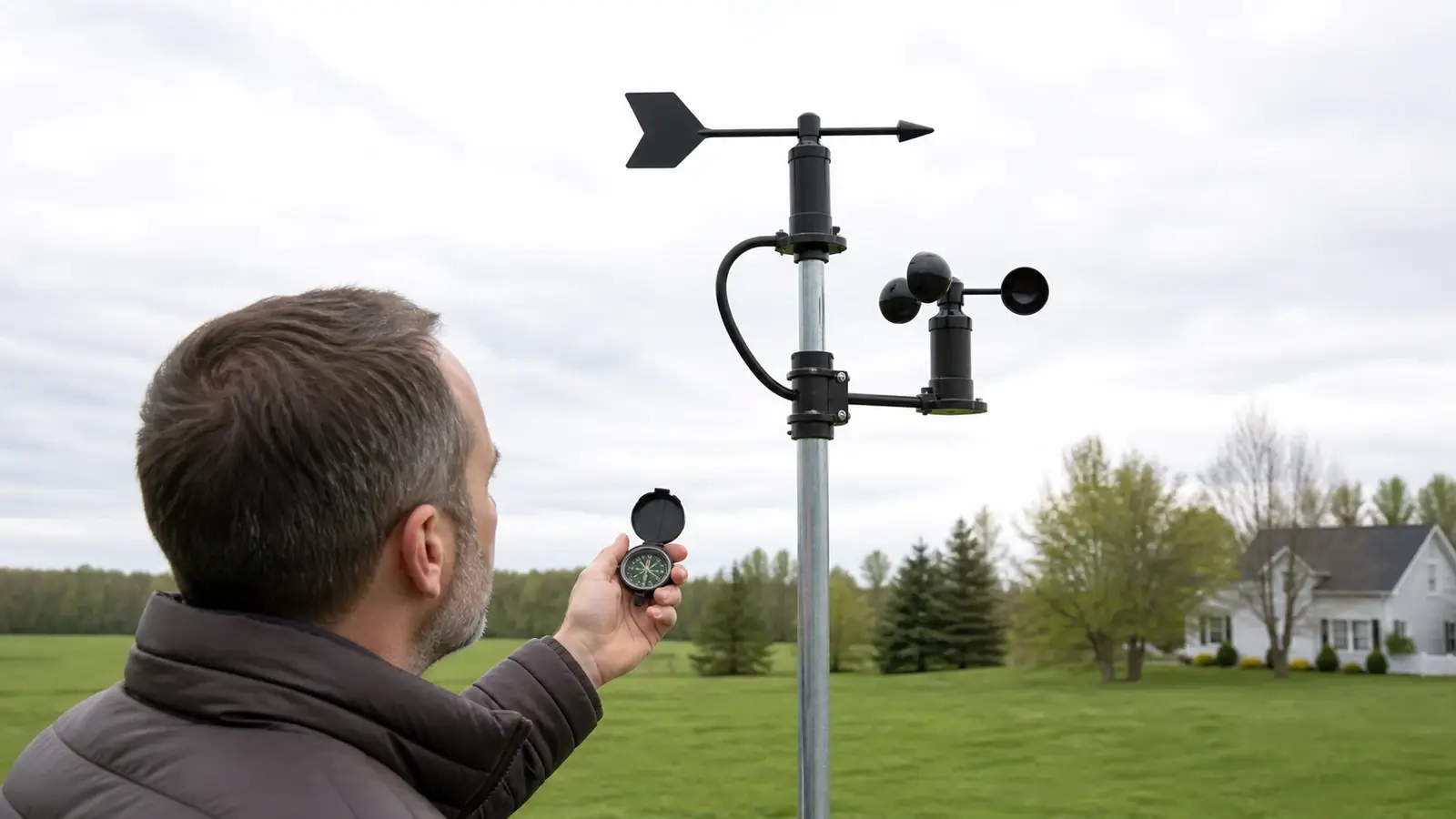
Make sure “from” and “toward” are not being reversed
Meteorological wind direction is the true direction from which air arrives. A west wind comes from the west and moves toward the east. A wind vane’s nose points into the wind, a windsock extends downwind. Map particles and arrows may emphasize movement toward a destination, which can make a correct station appear reversed.
Air arrives from the north and travels generally south. The station may display N, 360°, or an arrow style defined in its manual.
Direction may be unstable or not meaningful. Friction, vane starting threshold, local eddies, and brief puffs can swing the indicated direction.
Use the error pattern to find the cause
| Pattern | Likely causes | First test |
|---|---|---|
| About 180° wrong | Array reference or solar-panel orientation reversed, “from” vs “toward” confusion | Apply a known direction by gently holding the vane and read the manual’s orientation rule. |
| Stable 10–45° offset | Reference mark not aimed at true north, entered direction offset, mast rotated | Verify true north and inspect saved calibration. |
| Wrong only after a storm | Mount slipped, boom rotated, vane bent, debris or ice | Compare current physical alignment with installation photos or marks. |
| Direction jumps in light wind | Variable local flow, vane threshold, loose vane, electrical noise | Judge during a steady moderate wind and inspect free movement. |
| Always one direction | Stuck vane, debris, ice, damaged bearing, failed direction sensor | Safely rotate the vane through the full circle and watch the local display. |
| Different from airport | Real local variation, terrain, trees, roofs, observation averaging | Compare several nearby stations and sustained periods, not one instant. |
Correct wind direction step by step
Record the current setup
Save the existing direction offset and take photos showing the boom, vane, north mark, solar panel, and mast. Mark the mast position if it may have rotated.
Read the exact orientation rule
Some integrated arrays use a printed north arrow, some associate a solar-panel direction with the wind reference, some allow any physical orientation plus a software offset. Hemisphere-specific instructions can differ.
Find true north
Weather observations use true direction. A magnetic compass points toward magnetic north unless declination is corrected, and phones can be distorted by the mast, roof, fasteners, or nearby electronics. Use a mapped landmark, surveyed line, or corrected compass method.
Check the vane mechanically
With safe access and calm conditions, confirm the vane is attached in the correct orientation, moves freely through its intended range, and returns without scraping. Remove debris or ice only as the manual permits.
Choose physical alignment or software offset
Use the method the manufacturer specifies. Do not rotate an entire array if that would point its solar panel incorrectly or create a new mounting problem when a supported direction offset is the intended solution.
Verify in a steady wind
Use a windsock, flag, smoke-free visual indicators such as moving vegetation, and nearby observations only as context. Confirm the reading changes through multiple directions and remains plausible after the mast is secured.
Why your station may disagree with a nearby report
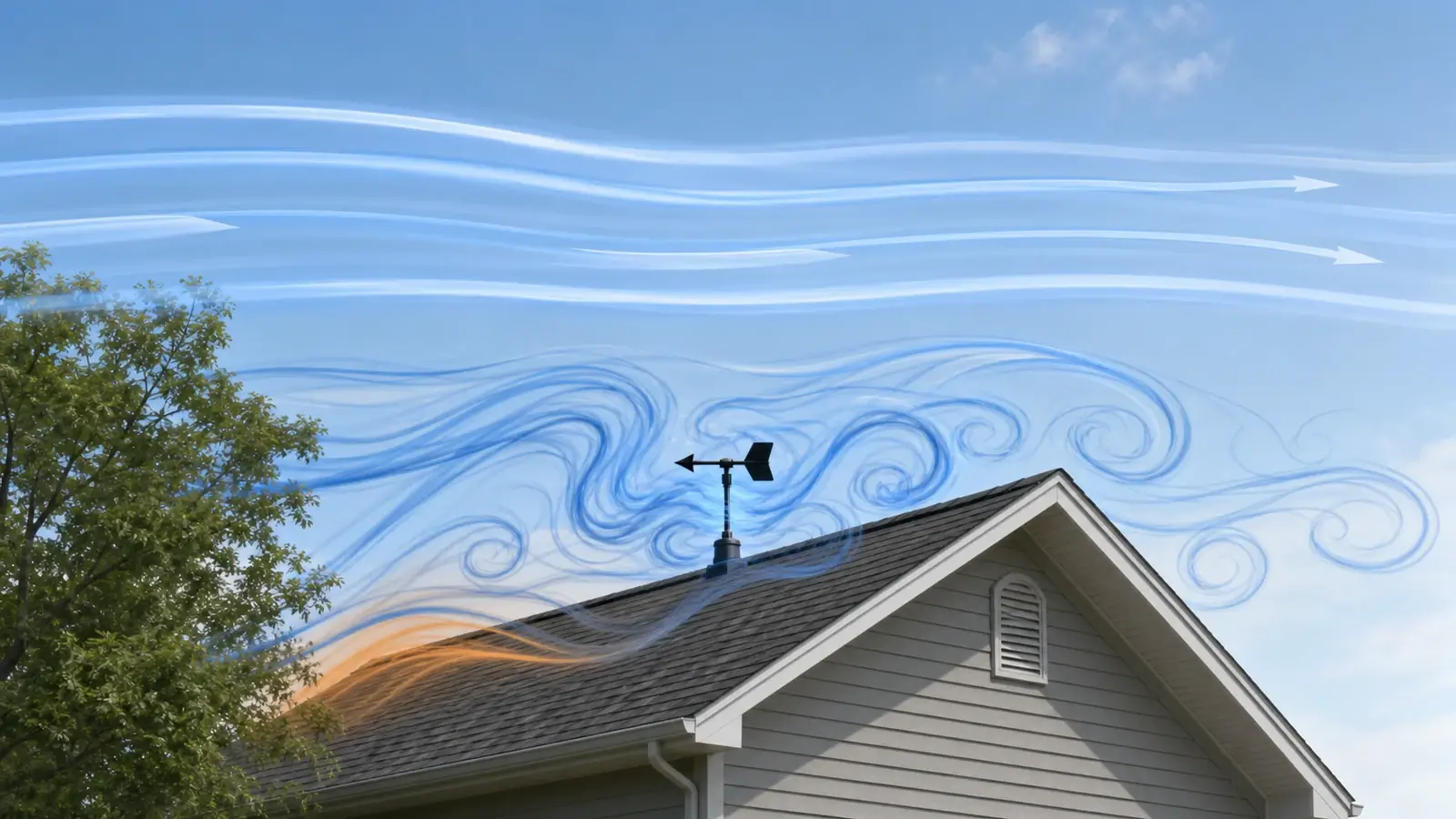
Wind is strongly affected by buildings, trees, terrain, height, and averaging. Air flowing over a roof can accelerate, separate, reverse locally, and form eddies. A station below a roof ridge or within tree branches may show erratic directions that are real at the sensor but not representative of the open flow.
Official stations often report an average direction over a defined period and may round it. A home console may show a short average or near-instantaneous value. Compare the same time window during a sustained wind. If several nearby stations disagree with one another, the atmosphere or terrain—not your vane—may explain the difference.
- Compare when wind speed is clearly above the vane’s starting threshold.
- Use true direction and the same units or compass sectors.
- Inspect whether the home station is below a roof peak, behind trees, or beside a wall.
- Look for a repeatable fixed offset rather than ordinary directional variability.
When the direction sensor may need service
A failed component is more plausible when the vane moves freely but the local reading remains fixed, jumps electrically while the vane is held still, omits part of the compass, or stays implausible after verified orientation and a close inspection. Integrated arrays may require a direction-sensor part, wiring repair, or full replacement array. Modular stations may allow an anemometer or vane assembly to be replaced separately.
Do not bypass lightning-safety or fall-protection precautions to test a sensor during active weather. Lower a serviceable mast or wait for safe conditions. Check warranty terms before opening sealed assemblies, and match replacement hardware to the console family and radio region.
Frequently asked questions
Does wind direction show where the wind is going?
Meteorological direction normally names where the wind comes from. A north wind comes from the north and moves south. Some app arrows use a different visual convention, so check the legend.
Why is my wind direction exactly backward?
A nearly 180-degree error often comes from reversed interpretation or an array/reference mark installed in the opposite direction. Confirm the model’s orientation rule before rotating anything.
Should I point the weather station solar panel south?
Many Northern Hemisphere models specify a south-facing panel, but that can also establish the wind-direction reference. Other designs differ, and Southern Hemisphere instructions may reverse it. Follow the exact manual.
Why does wind direction jump around when it is calm?
Direction becomes less meaningful in very light air. Small eddies, vane friction and starting threshold, roof turbulence, or brief puffs can produce large direction changes.
Sources and further reading
These primary and manufacturer references support the definitions, diagnostic steps, and limitations in this guide.
National Weather Service wind-direction glossary — direction-from convention and degree reporting
National Weather Service/CWOP Personal Weather Station Siting Guide — exposure, radiation shielding, rain-gauge and wind-sensor placement
National Weather Service ASOS wind sensor description — starting threshold, true direction, averaging, and reporting context
Weather Underground installation guide — fetch and obstruction effects on wind measurements
Model controls and reset sequences vary. Use the current manual for your exact console, sensor, hardware revision, and radio region before changing calibration, power, pairing, or network settings.